
How to configure Azure AD SSO for access to the Aidbox UI
This guide explains how to set-up Azure AD identity provider in Aidbox with a symmetric authentication mechanism. If you are looking for asymmetric (certificate-based one), please, follow Azure AD with certificate authentication guide.
Register an application in Azure
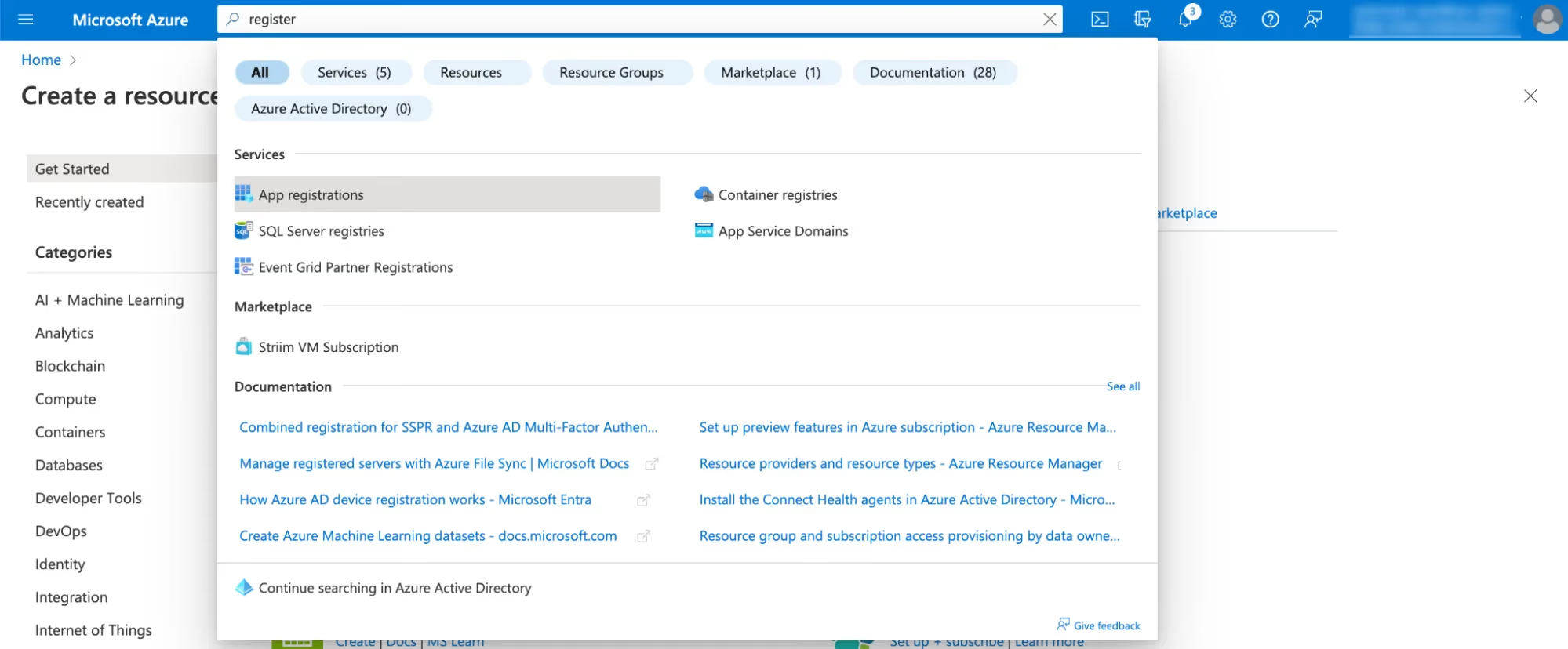
- Find App Registration in search bar
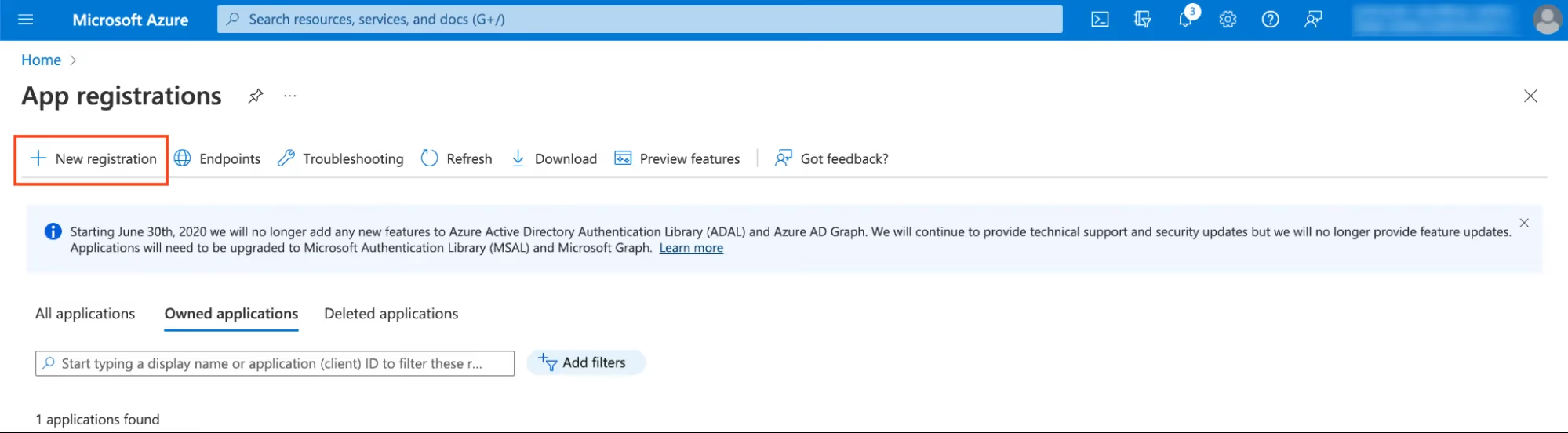
- Click New Registration
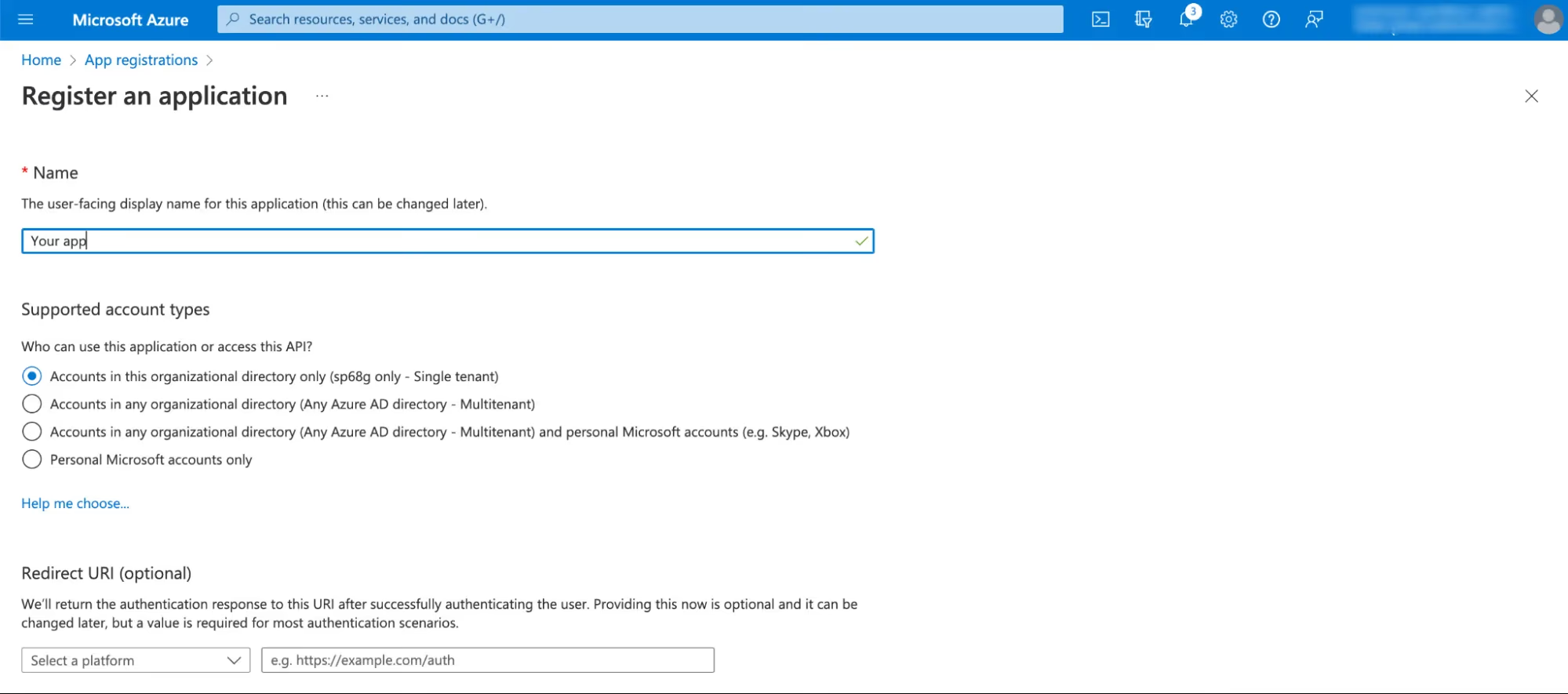
- Fill form. For Redirect URI choose
webas a platform and inputhttps://<box-url>/auth/callback/azure
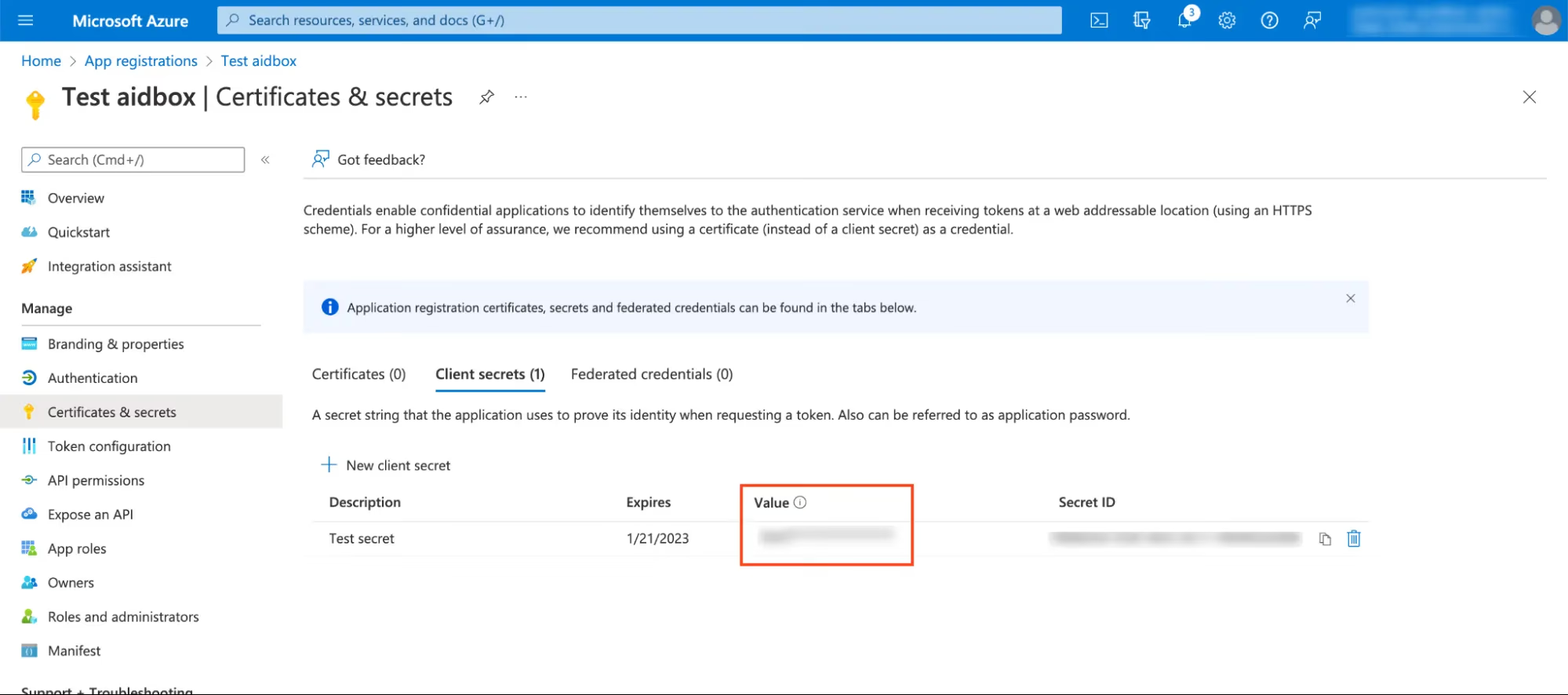
- Click Certificates & secrets > New client secret and create a new secret. Save
Valuefor next step
Create IdentityProvider in Aidbox
- Open REST console in Aidbox UI and create
IdentityProvider
POST /IdentityProvider
content-type: text/yaml
accept: text/yaml

scopes:
  - profile
  - openid
system: azure
authorize_endpoint: <your authorization endpoint (see below)>
token_endpoint: <your token endpoint (see below)>
userinfo-source: id-token
client:
  id: <your application (client) id (see below)>
  secret: <your secret value from previous step>
resourceType: IdentityProvider
title: Azure AD
active: true
id: azure
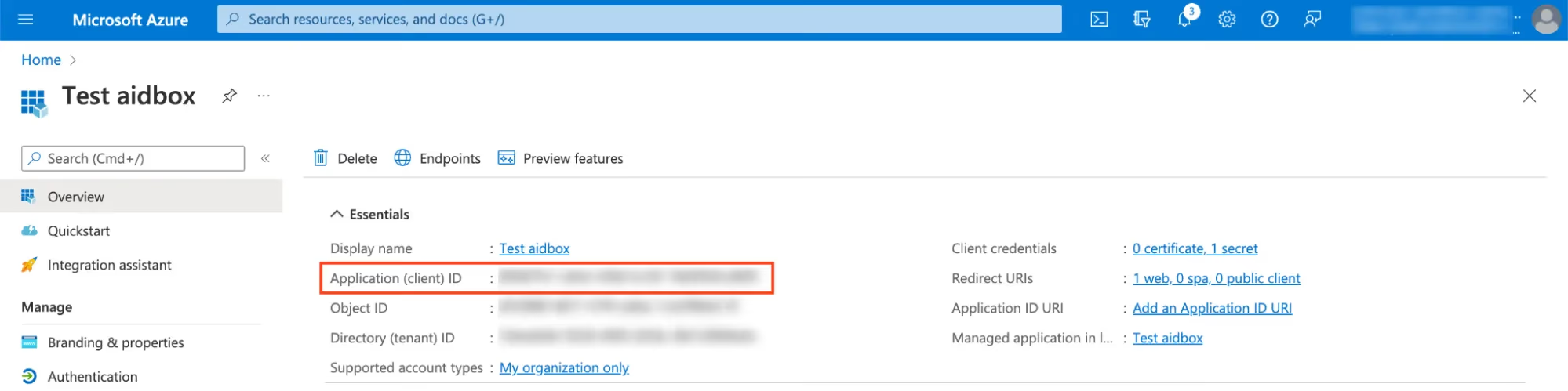
You can find application (client) id on App Overview page.
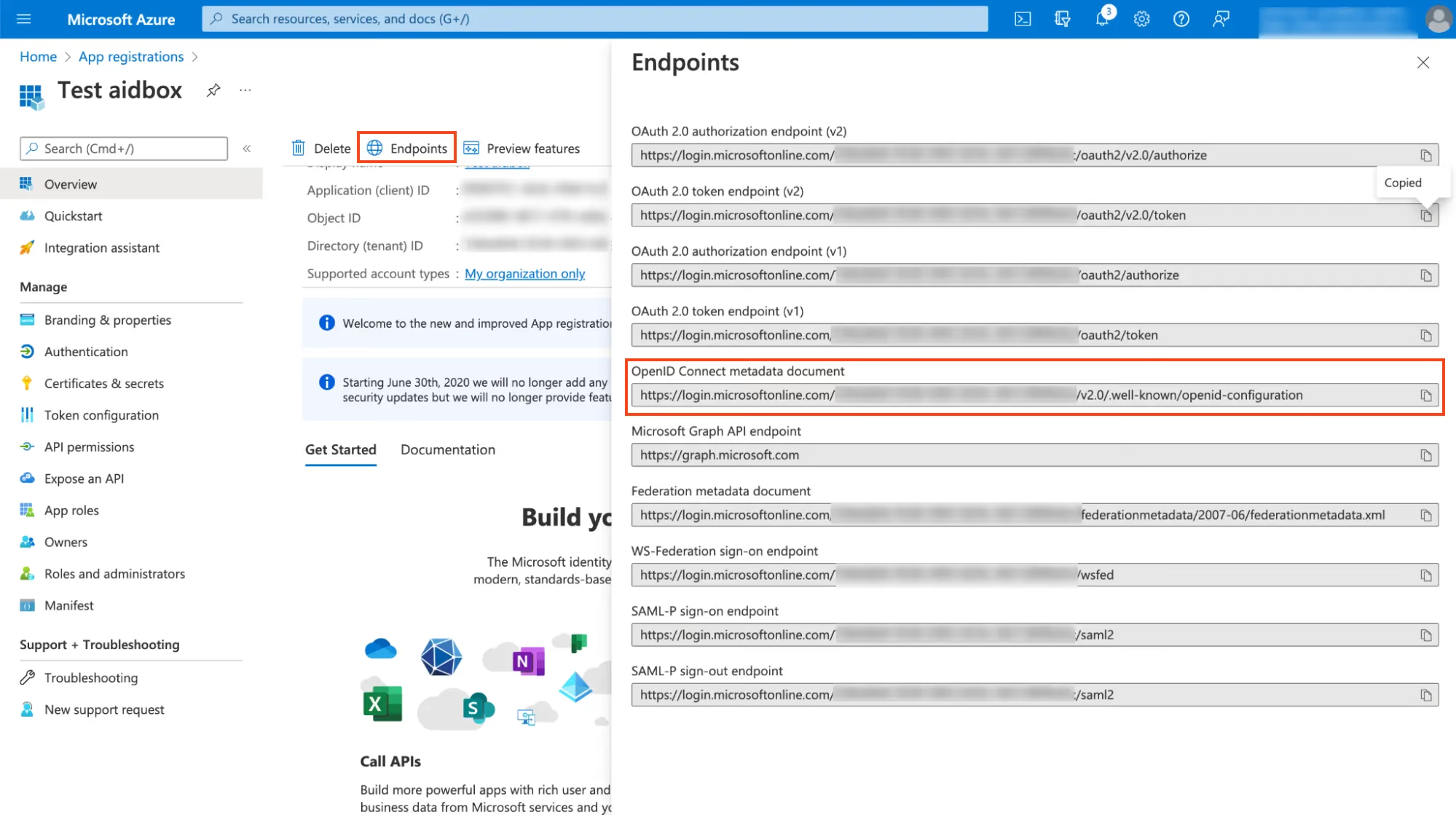
As for the endpoints, you'll find them by clicking on Endpoints, copying the URL from OpenID Connect metadata document, and then visiting this URL in your browser.
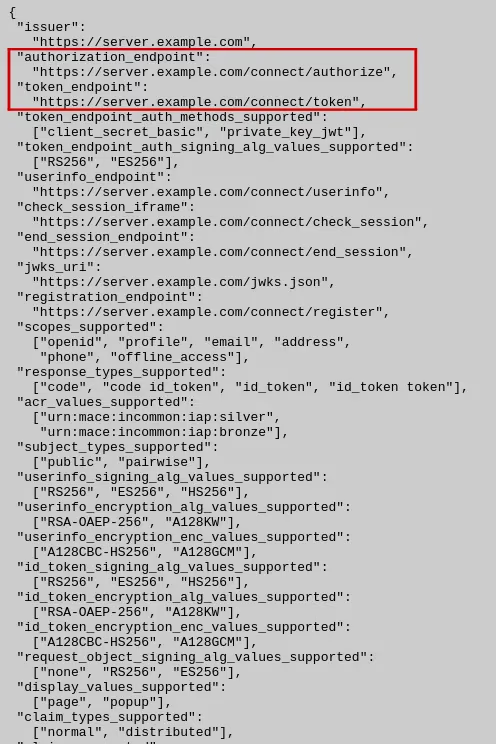
The JSON document will contain both authorize_endpoint and token_endpoint.
Log in to Aidbox
Go to your Aidbox base URL. You will be redirected to the log in page where you should now see Sign in with Azure AD button. Press this button and log in with Azure AD user. This user will be logged in to Aidbox Console but he won’t have any permissions. Read more in Access Control Section about permissions.