
Automatically Archive AuditEvent Resources in GCP Storage Guide
Since the 2405 release, using Aidbox in FHIR schema validation engine is recommended, which is incompatible with zen or Entity/Attribute options.
Follow step-by-step guide to configure scheduled archive operation:
-
Create GCPServiceAccount resource.
-
Define your scheduler rule with create-archive task as
:task-requestparameter. Check Scheduler service and create-archive documentation for more information.
This rule means that Scheduler API will archive all AuditEvent resources that are older than 30 days every day at 2 am into GCP Cloud Storage.archive-every-day {:zen/tags #{awf.scheduler/rule} :schedule "0 2 * * *" :task-request {:definition aidbox.archive/create-archive :params {:targetResourceType "AuditEvent" :history false :criteriaPaths ["recorded"] :retentionPeriod {:value 30 :unit "day"} :storageBackend "gcp" :serviceAccount {:id "my-account" :resourceType "GcpServiceAccount"} :bucket "aidbox-archive" :pruneArchivedData false}}} -
Define your scheduler service if it is not already defined in your configuration. Include created rule in scheduler-service
:rulesproperty.scheduler-service {:zen/tags #{aidbox/service} :engine awf.scheduler/task-scheduler-service-engine :rules #{archive-every-day}} -
Include scheduler service in your Aidbox service configuration if they are not already included in your configuration.
box {:zen/tags #{aidbox/system} :services {:scheduler-service scheduler-service}} -
Restart Aidbox.
-
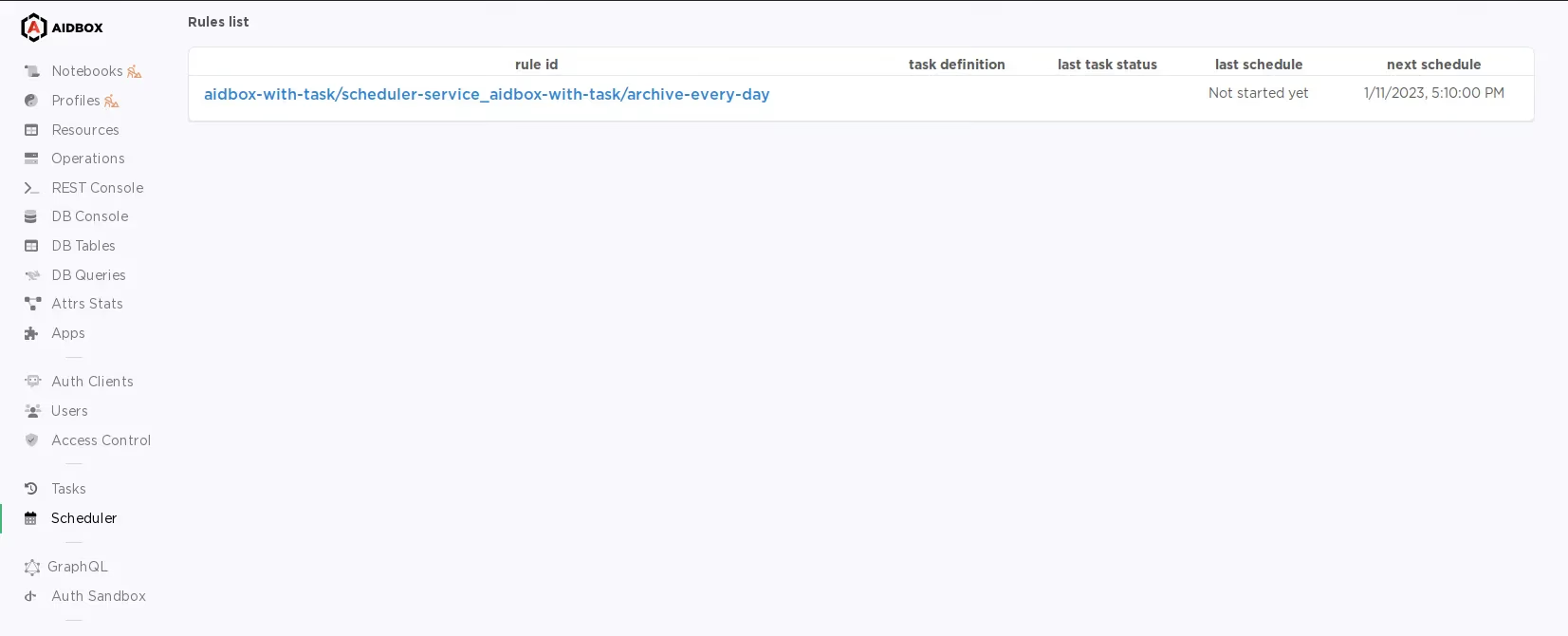
Check if new scheduler rules created in Scheduler UI:
Full configuration for this guide:
{ns aidbox-with-task
import #{aidbox aidbox.archive awf.scheduler}
archive-every-day
 {:zen/tags #{awf.scheduler/rule}
  :schedule "0 2 * * *"
  :task-request {:definition aidbox.archive/create-archive
                 :params {:targetResourceType    "AuditEvent"
                          :history               false
                          :criteriaPaths         ["recorded"]
                          :retentionPeriod       {:value  30
                                                  :unit   "day"}
                          :storageBackend        "gcp"
                          :serviceAccount        {:id "my-account"
                                                  :resourceType "GcpServiceAccount"}
                          :bucket                "aidbox-archive"
                          :pruneArchivedData     false}}}
scheduler-service
 {:zen/tags #{aidbox/service}
  :engine   awf.scheduler/task-scheduler-service-engine
  :rules    #{archive-every-day}}
box
 {:zen/tags #{aidbox/system}
  :services {:scheduler-service scheduler-service}}
}