A misspelled name or an old address can hide a duplicate Patient record. Model builder in MDMbox 2610.0 learns matching parameters from your FHIR Patient data, without labeled training pairs. You choose the fields, inspect the decisions and put the saved model to work.
In our tests, automatic models achieved 99.45-100% F1 across six synthetic and error-simulated linkage datasets without SSN. Against a population of 10 million Patient records, the median online $match response took 25 ms.
Build from your Patient data
Choose the Patient fields to compare, such as name, birthDate and address. Preview their values and check for missing data. A SQL on FHIR ViewDefinition captures your field selection so training and matching use the same information.
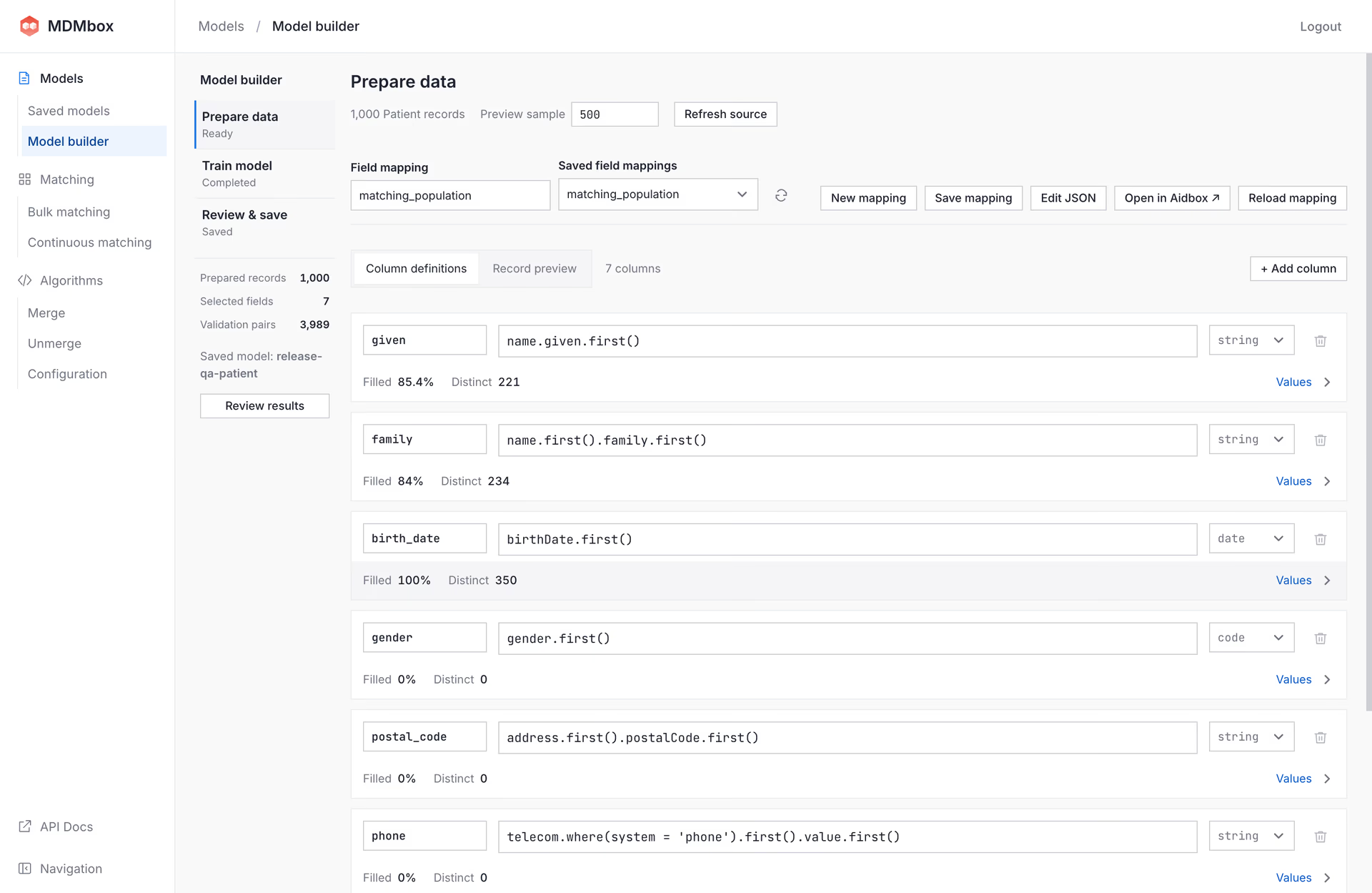
Select Build model. The builder chooses which records to compare and learns how to weigh their similarities and differences. It handles spelling variations and missing values and can account for relationships between fields, such as a postal code predicting a city.
For custom logic, you can edit comparisons in JavaScript, with an optional AI assistant to help write them.
See why records match
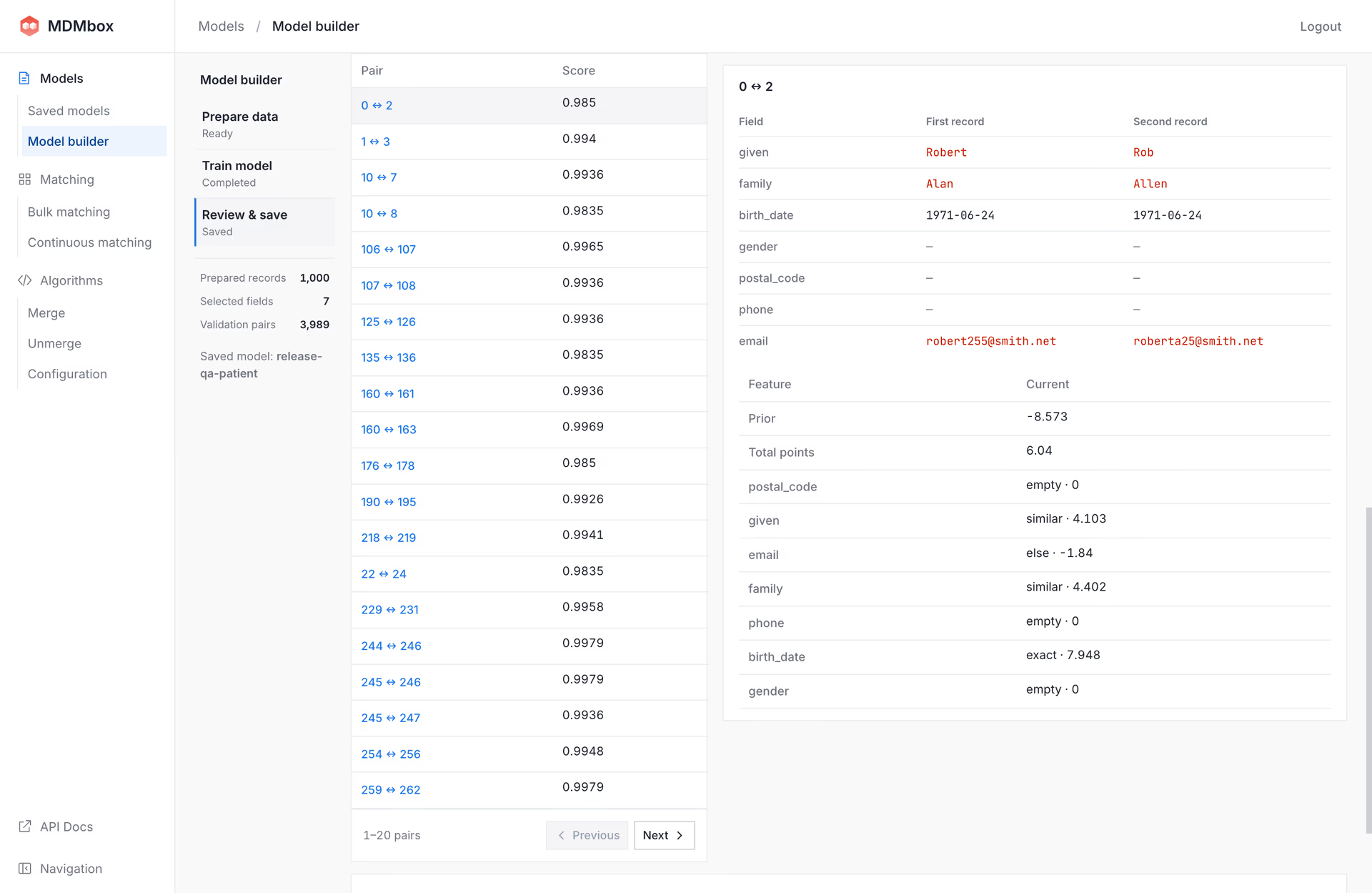
In Review & save, check the score distribution and open individual pairs. Each explanation shows how the selected fields contributed to the score, helping you investigate both likely matches and uncertain cases.
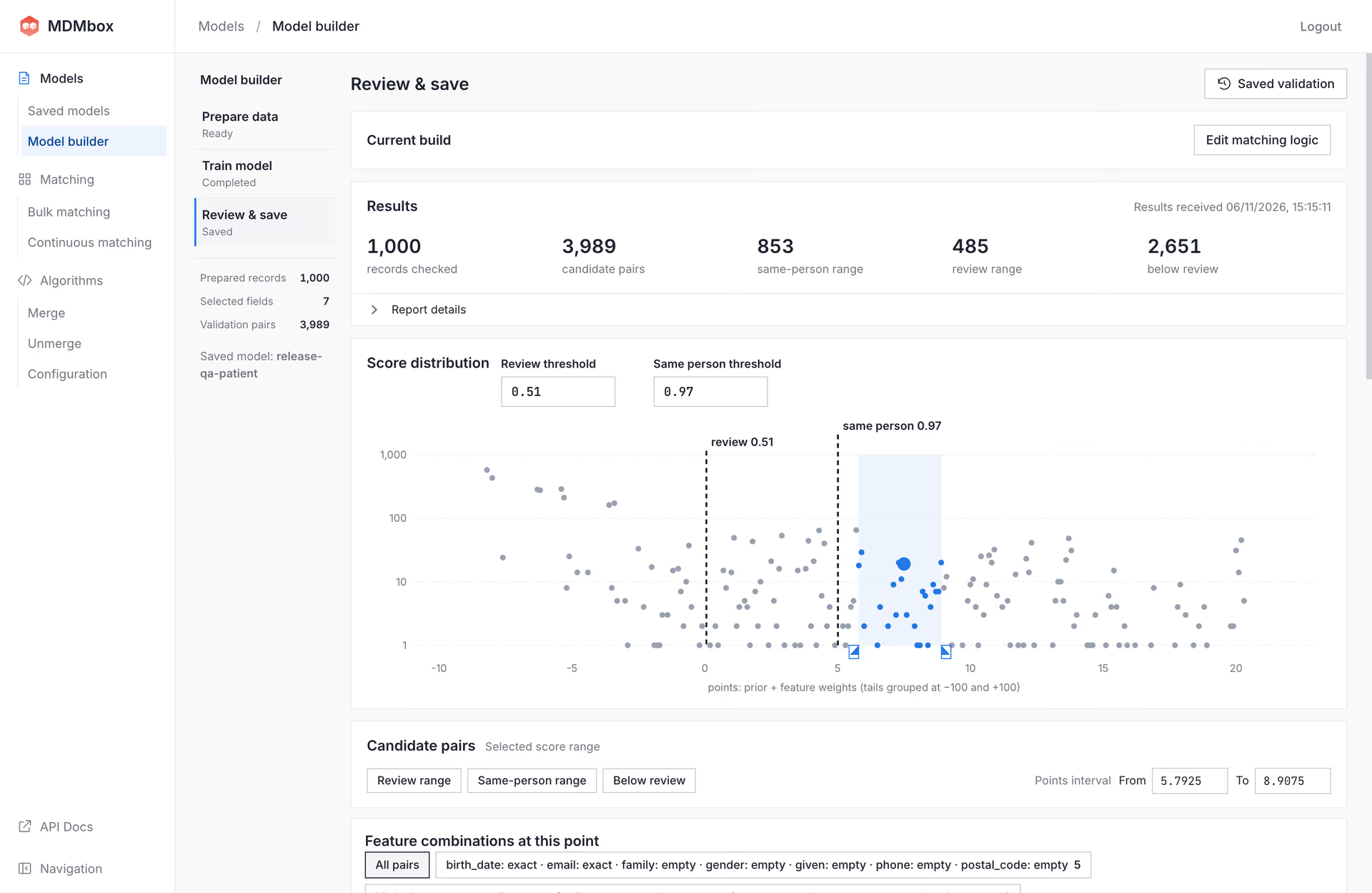
Adjust the minimum score for accepting a match or sending a pair for review. Then save a versioned model and use it for online $match, Bulk matching and Continuous matching. The field selection, learned parameters and thresholds stay together in the same model.
The screenshots show synthetic Patient data.
Matching quality without labeled training pairs
We converted records from FEBRL, ePBRN and NC Voters into FHIR Patient resources before training. The datasets' known identities let us measure precision, recall and F1 afterward. Those labels were kept out of training, and matches missed during candidate selection count against recall.
On the six smaller synthetic and error-simulated datasets, automatic training produced these results without social security identifiers or handwritten comparison rules:
| Dataset | Precision | Recall | F1 |
|---|---|---|---|
| FEBRL1 | 100% | 100% | 100% |
| FEBRL2 | 100% | 99.49% | 99.75% |
| FEBRL3 | 100% | 98.91% | 99.45% |
| FEBRL4 | 100% | 99.53% | 99.77% |
| ePBRN D | 100% | 99.61% | 99.81% |
| ePBRN F | 100% | 99.28% | 99.64% |
Every accepted pair was correct in these tests. The test sets contain 158-1,924 known same-person pairs each.
Matching against 5M and 10M records
The larger NC benchmarks use voter-derived names and address information with generated duplicates. We tested matching for 5,000 records per population. Adjusting the acceptance thresholds on separate labeled examples recovered more true matches and raised F1 above 91.6%, without retraining:
| Population | Setting | Precision | Recall | F1 |
|---|---|---|---|---|
| NC Voters 5M | Automatic | 95.58% | 73.91% | 83.36% |
| NC Voters 5M | Threshold adjusted | 91.56% | 92.03% | 91.79% |
| NC Voters 10M | Automatic | 95.37% | 76.45% | 84.87% |
| NC Voters 10M | Threshold adjusted | 92.23% | 91.13% | 91.68% |
Adjusting the threshold traded some precision for substantially higher recall. The downloads include the full quality results, including results for records with changed values.
Millisecond matching at 10 million records
On an Apple M1 Pro with 16 GB RAM, automatic training took about 22 minutes for 5M Patient records and 30 minutes for 10M, after data preparation.
In online tests, median $match responses took 28 ms at 5M and 25 ms at 10M. 95% arrived within 56 ms on both populations. Training figures exclude data import and first-time online setup.
Try Model builder
Open Models → Model builder in MDMbox 2610.0 to train your first model. Follow the documentation, or book a demo to discuss your Patient matching workflow with our team.
Try the same inputs using the eight downloadable datasets. Each includes FHIR Patient NDJSON, its ViewDefinition and a separate complete identity-label CSV, including singletons. Labels are for external evaluation; they are not training inputs or an MDMbox label-upload format. The download documentation includes source attribution, terms and checksums.
For a small first trial, download FEBRL1: Patient data, field mapping and evaluation labels.
Download the measured models and full quality results for FEBRL, ePBRN and NC Voters. The archives contain model definitions and results, without source Patient data.