
System Architecture
RCMbox consists of four services that work together to execute billing workflows.
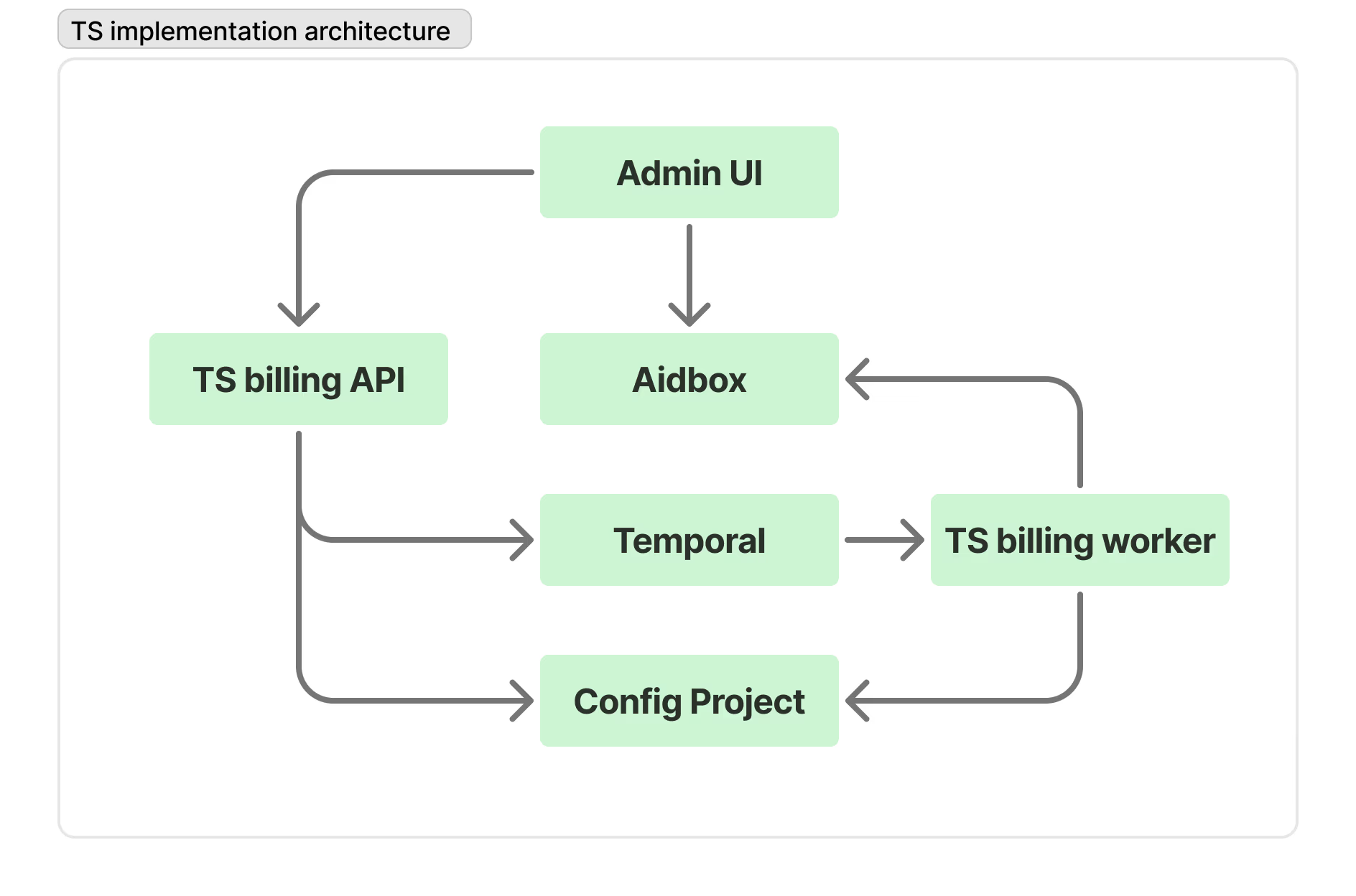
Services
| Service | Role |
|---|---|
| FHIR Server | Stores all clinical and billing data. RCMbox ships with Aidbox by default, but any FHIR-compliant server can be used. |
| Temporal | Workflow engine — executes workflows durably with retries and history |
| Billing API | HTTP server — triggers workflows, manages the config repo, serves the admin UI |
| Billing Worker | Temporal worker — loads workflow YAMLs, executes activity scripts |
Data flow
- An event arrives at the Billing API — a trigger webhook, a schedule, or a manual UI call.
- The API creates a Temporal workflow on the
billingtask queue. - The Billing Worker picks up the workflow and creates a
BillingWorkflowtracking resource in the FHIR server. - The worker loads the workflow YAML from the config project directory (resolved by branch).
- For each activity: resolve params → import the TypeScript script → call
main(params)→ store output. - Activities read and write FHIR resources via the FHIR REST API.
- On completion, the worker patches the
BillingWorkflowstatus tocompletedorfailed. - The UI polls
GET /workflows/:id/runs/:runId— the API reads Temporal history and returns live status.
Deployment
The API and Worker run as separate Docker containers sharing two volumes:
/data/repo— the main branch of the config project (cloned on startup)/data/worktrees— git worktrees for non-main branches/data/checkouts— commit-specific checkouts used whenDYNAMIC_RELOAD=true
Both containers require access to the FHIR server and Temporal.