
Deployment
Interbox ships as one all-in-one image (engine + API + dashboard). It always needs two things it does not bundle: a PostgreSQL database and an Aidbox endpoint (see System Requirements for sizing).
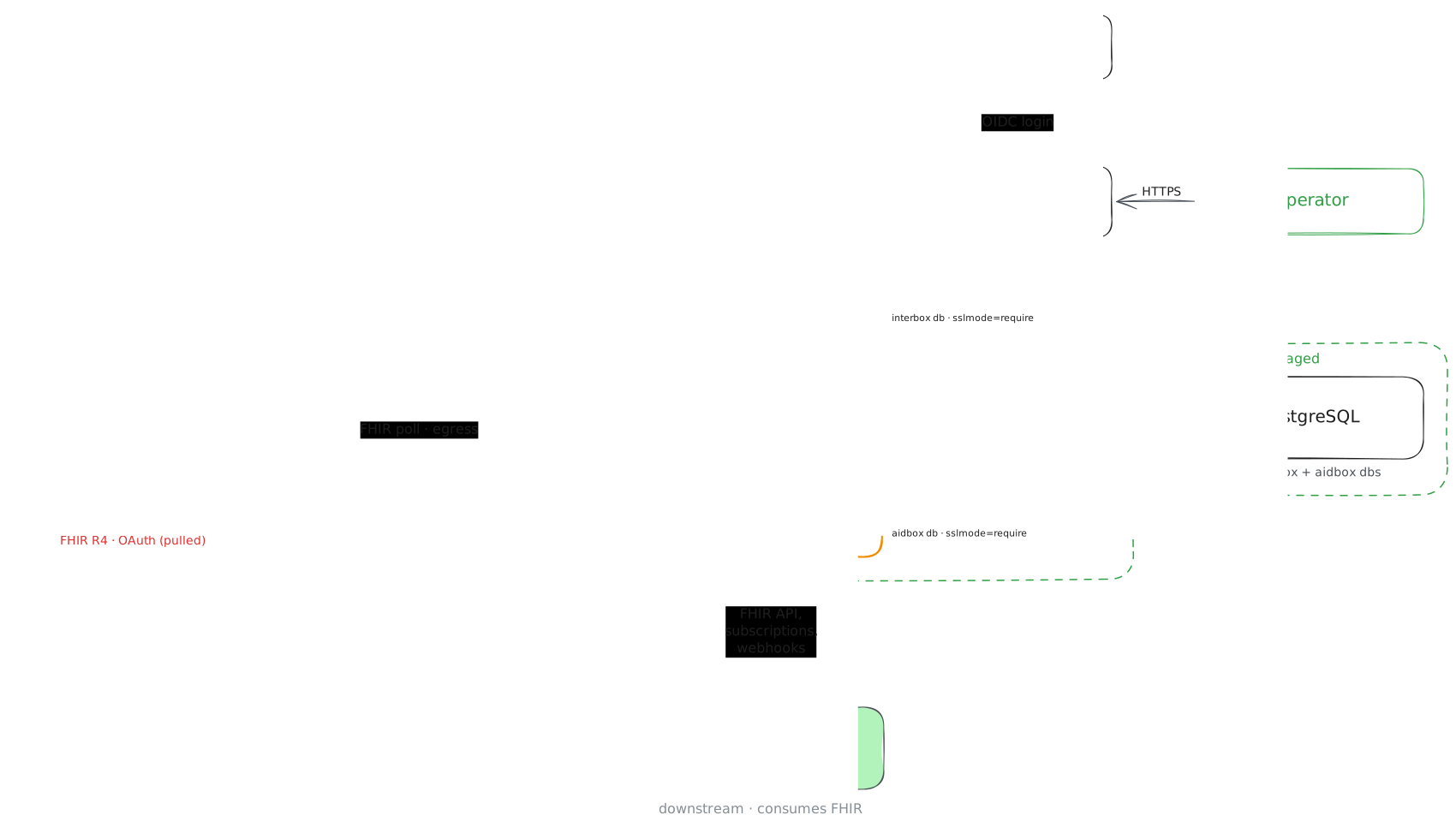
Editable source: interbox-topology.excalidraw — open it at excalidraw.com to update the diagram, then re-export the PNG.
Two supported ways to run it:
- Docker Compose — the fastest path for a single host or evaluation. The
workspace template's
docker-compose.yamlbrings up Interbox, Postgres, and Aidbox together; see Getting Started. - Kubernetes (Helm) — the production path.
Kubernetes (Helm)
The chart lives in HealthSamurai/helm-charts
(interbox/ directory), and its own docs are the source of truth — kept
current with the chart. This page does not re-document values, secret keys,
or per-cloud overlays; go there for the reference:
- Chart README — the full values table, install command, and setup scenarios (managed PG, reusing Aidbox's cluster, sibling charts, locked-down PG).
- PREREQUISITES.md — Postgres and Aidbox requirements, the secret keys, TLS, and MLLP exposure.
The one-liner to get going:
helm repo add healthsamurai https://healthsamurai.github.io/helm-charts
helm upgrade --install interbox healthsamurai/interbox \
  --namespace interbox --create-namespace \
  --values values.yaml
What's different about deploying Interbox
The chart's defaults encode a few things that are unusual for a web app and easy to get wrong if you treat Interbox like a generic stateless service. These come from how the engine works, so they are documented here rather than in the chart:
- Single replica,
Recreaterollout. There is one MLLP TCP listener and one boot-time workspace build, so two pods must never run at once. Horizontal scaling (HA) is deferred — scale vertically, and expect a brief stop-then- start on every upgrade rather than a rolling one. - MLLP is raw TCP, so it gets its own LoadBalancer — HTTP ingress can't carry it. It's meant to be a private LB reached over a VPN/VNet. Pin its IP: a dynamic LB address can change on reinstall and break the firewall/VPN rules the sending hospital built around it. That stable address is the one networking detail worth agreeing with DevOps up front.
- The dashboard is internal-only. It's a
ClusterIP— reach it with a port-forward, or an internal ingress class for a stable hostname. Never expose it publicly. - The pod builds the workspace on boot (clone +
bun install+Bun.build). That makes boot memory-hungry, so don't set a tight memory limit — a tight one OOM-kills the pod during startup. The chart's startup probe is deliberately generous to cover it. - Migrations run on boot. An upgrade is just a new image tag; the pod
migrates the database as it comes up. The engine also self-creates its
interboxdatabase when theDATABASE_URLuser hasCREATEDB(otherwise pre-create it — see PREREQUISITES).
How the pod gets that workspace — which branch it tracks, how pipeline changes reach a running engine, and what the dashboard is allowed to change — is The Workspace. Every host the pod connects to, for writing egress rules, is in Network Access.