# Managing Admin Access to the Aidbox UI Using Okta Groups
## Objectives
* Configure integration with the Okta Identity Provider to enable secure login to the Aidbox UI
* Manage administrative access to the Aidbox UI through Okta by assigning users to specific groups
## Before you begin
* Create an account in [Okta development portal](https://developer.okta.com/)
* Make sure your Aidbox version is newer than 2107
* Setup the local Aidbox instance using getting started [guide](../../getting-started/run-aidbox-locally.md)
## Managing Admin Access to the Aidbox UI Using Okta Groups
### Create a Client (Application) in Okta
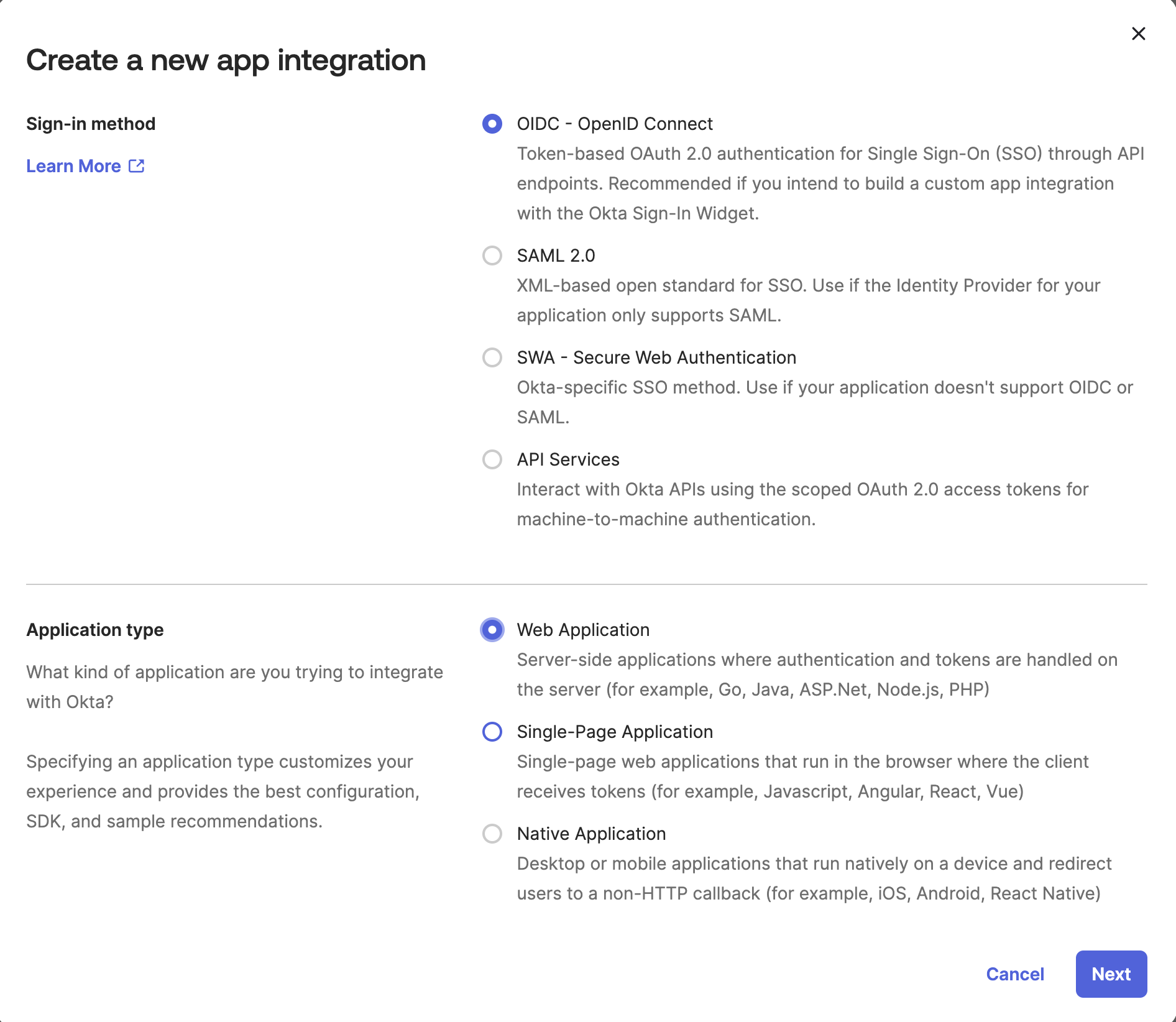
Go to **Applications -> Applications** in Okta portal and click "**Create App Integration"** button.
* Sign-in method: OIDC - OpenID Connect
* Application type: Web Application
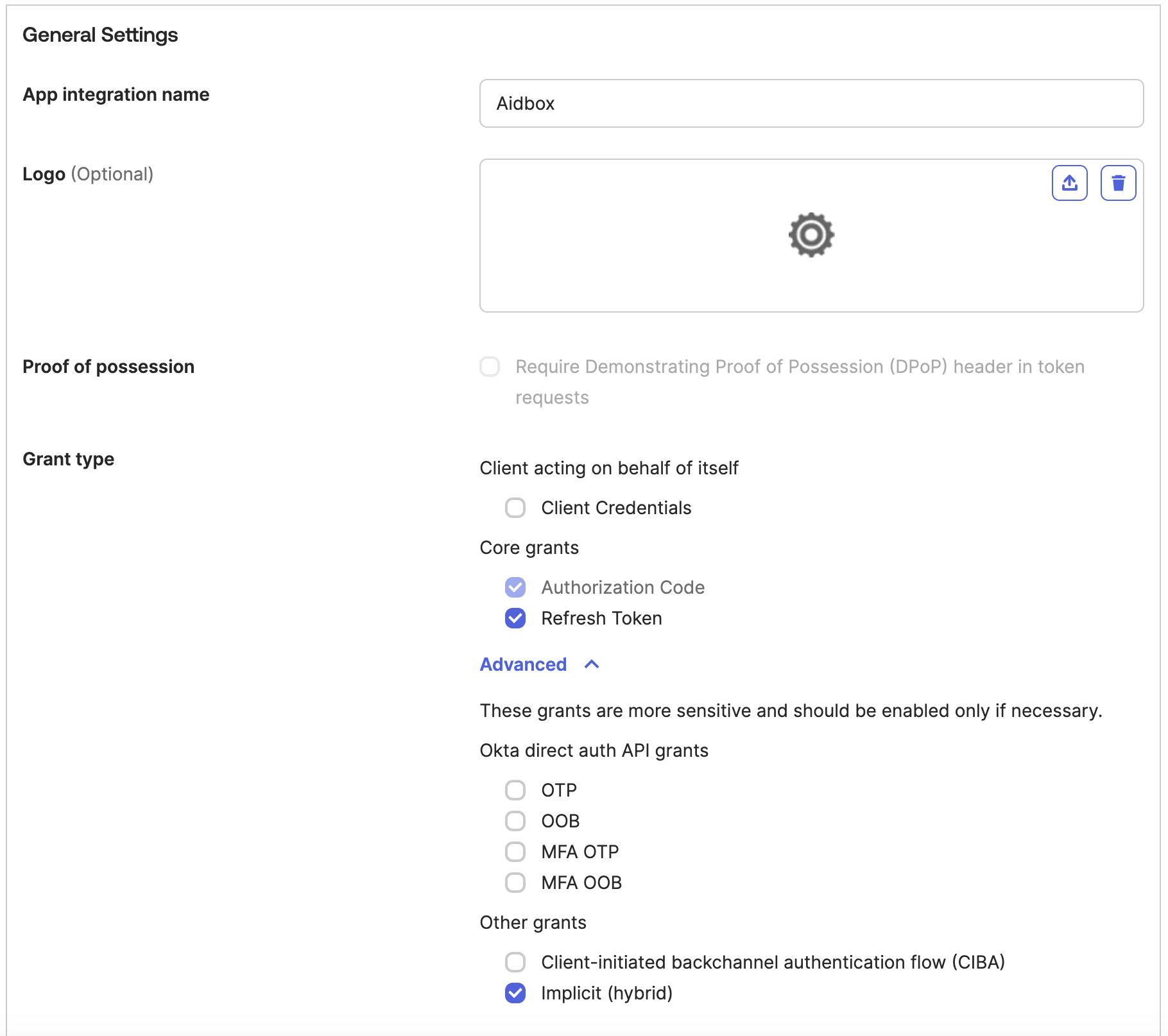
Enter Application details:
* App integration name: Aidbox
* Grant type:
* Authorization Code
* Refresh Token
* Implicit (hybrid)
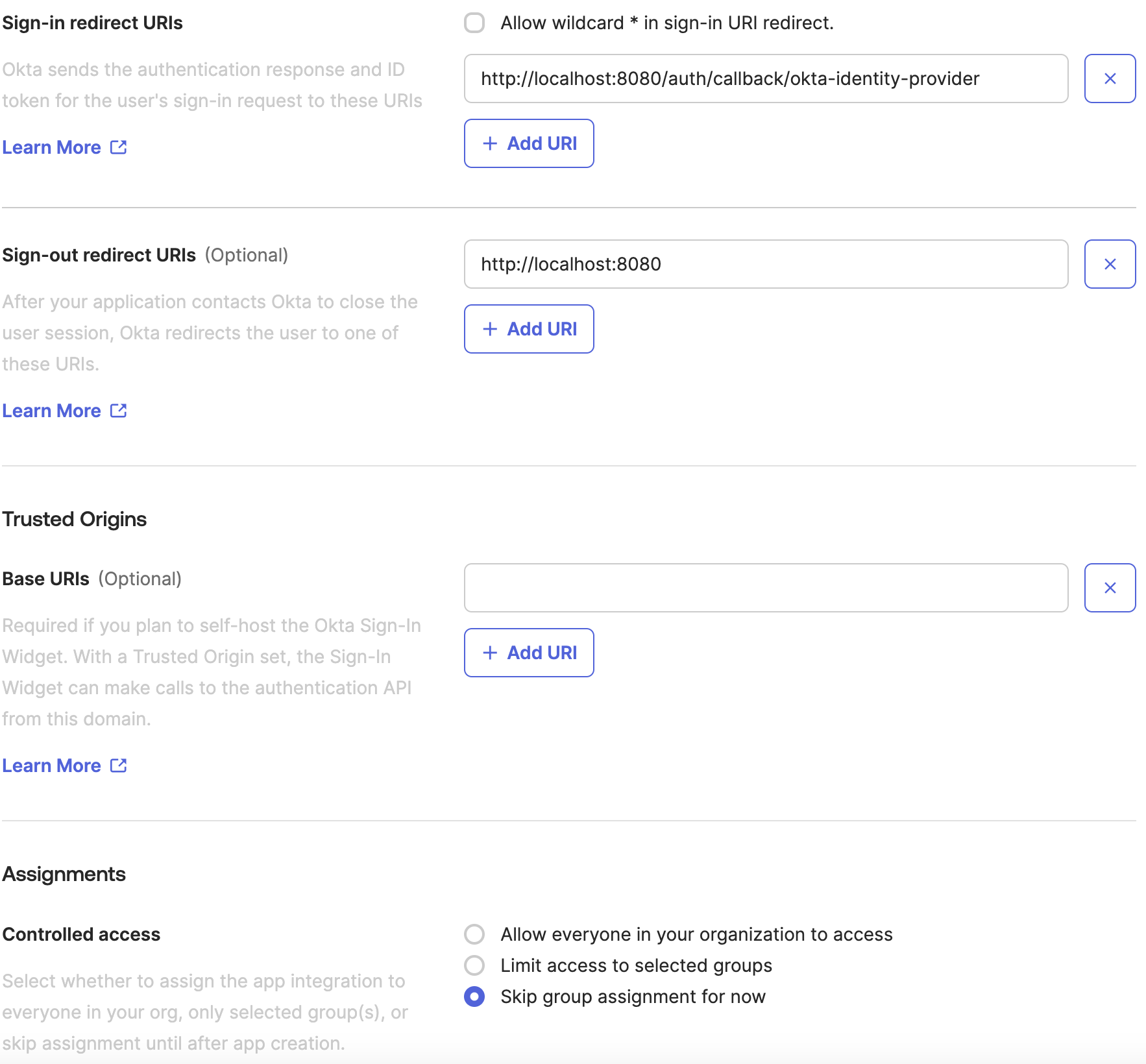
* Sign-in redirect URIs: `http://localhost:8080/auth/callback/okta-identity-provider`
* Controlled access: Skip group assignment for now
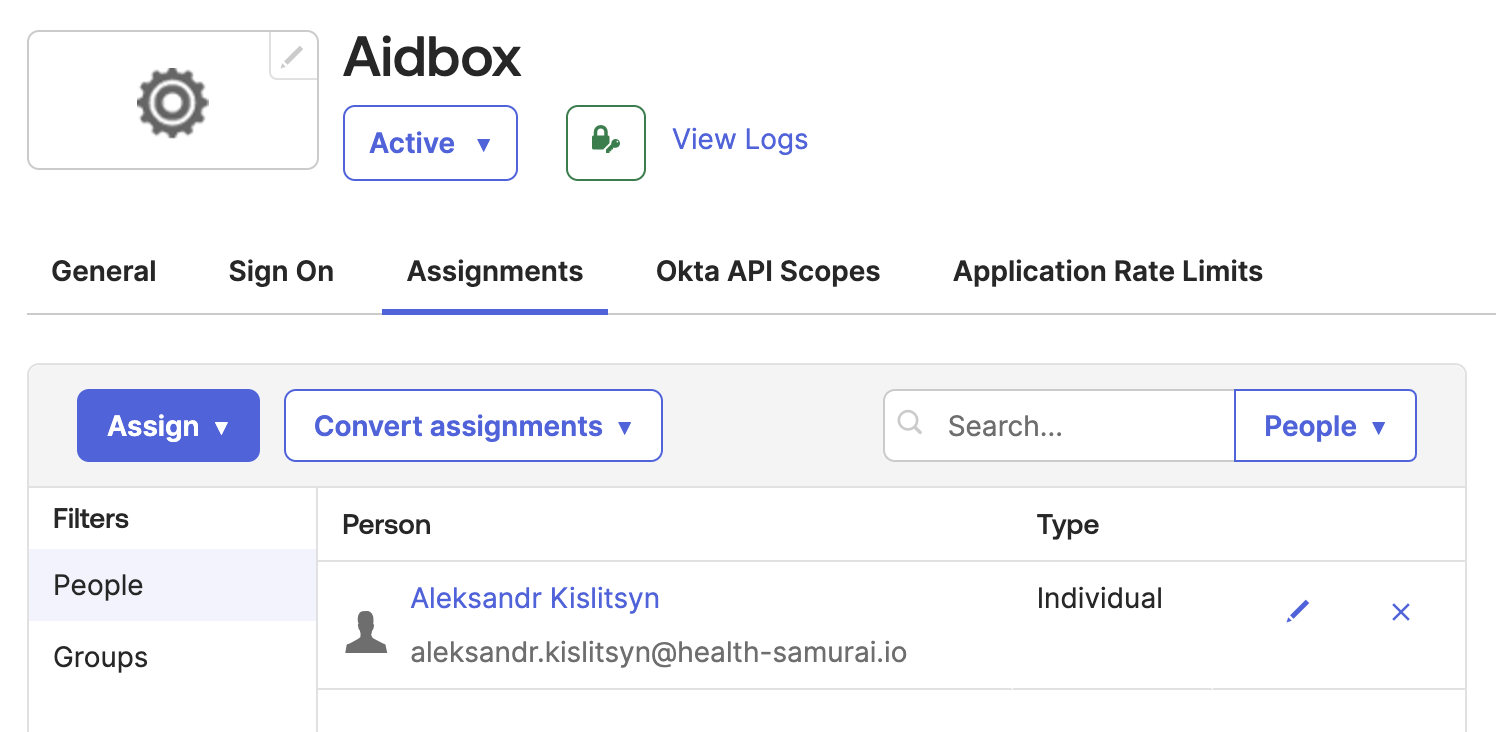
Assign the application to your personal account in Okta:
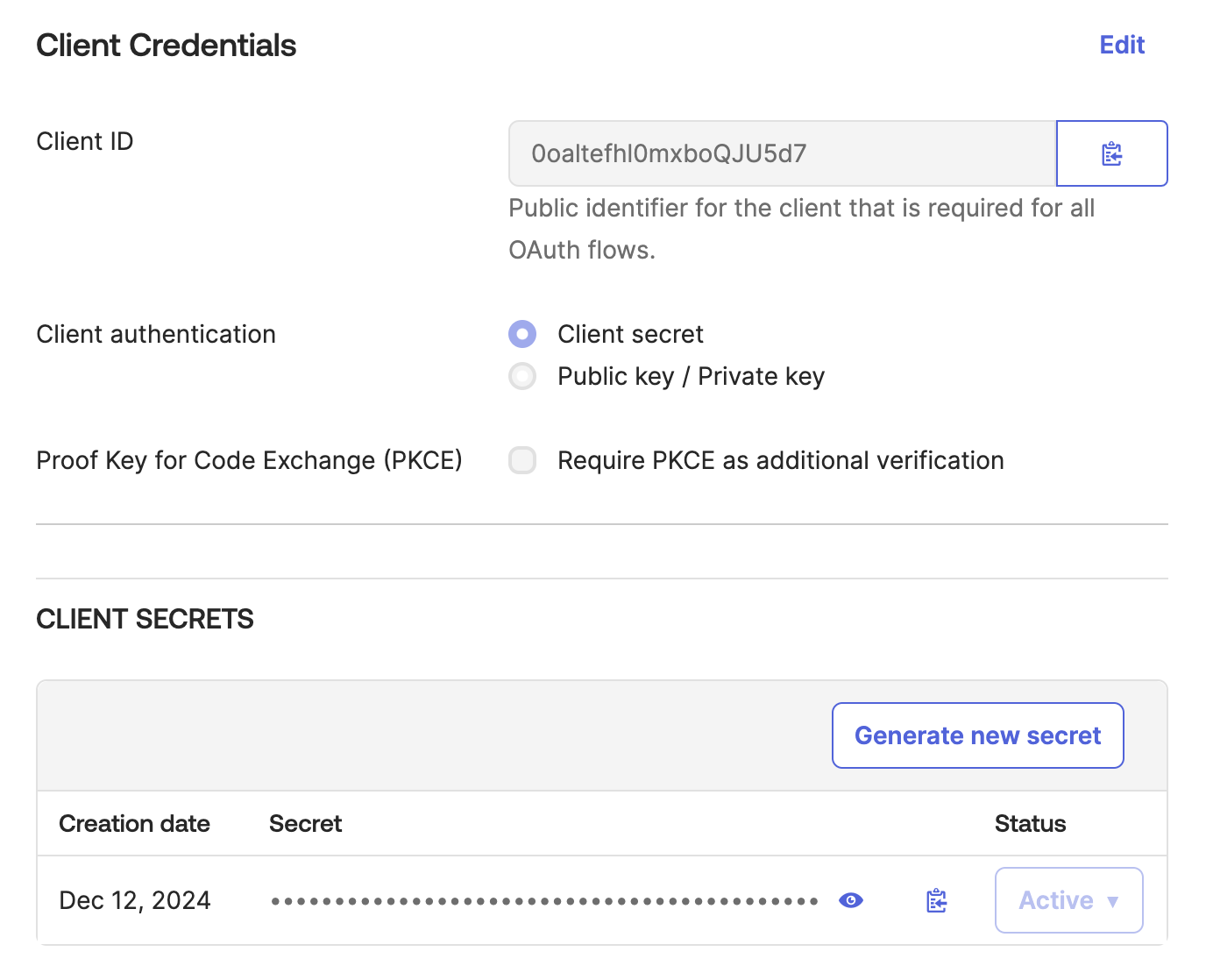
Checkout **Client ID** and **Client secret**:
### Create an IdentityProvider in Aidbox
Login to Aidbox UI.
Use REST Console to execute the request below.
* `` should be your Okta domain, e.g. `dev-43727041.okta.com`
* replace `` and `` with the actual values
### Login into Aidbox using Okta user
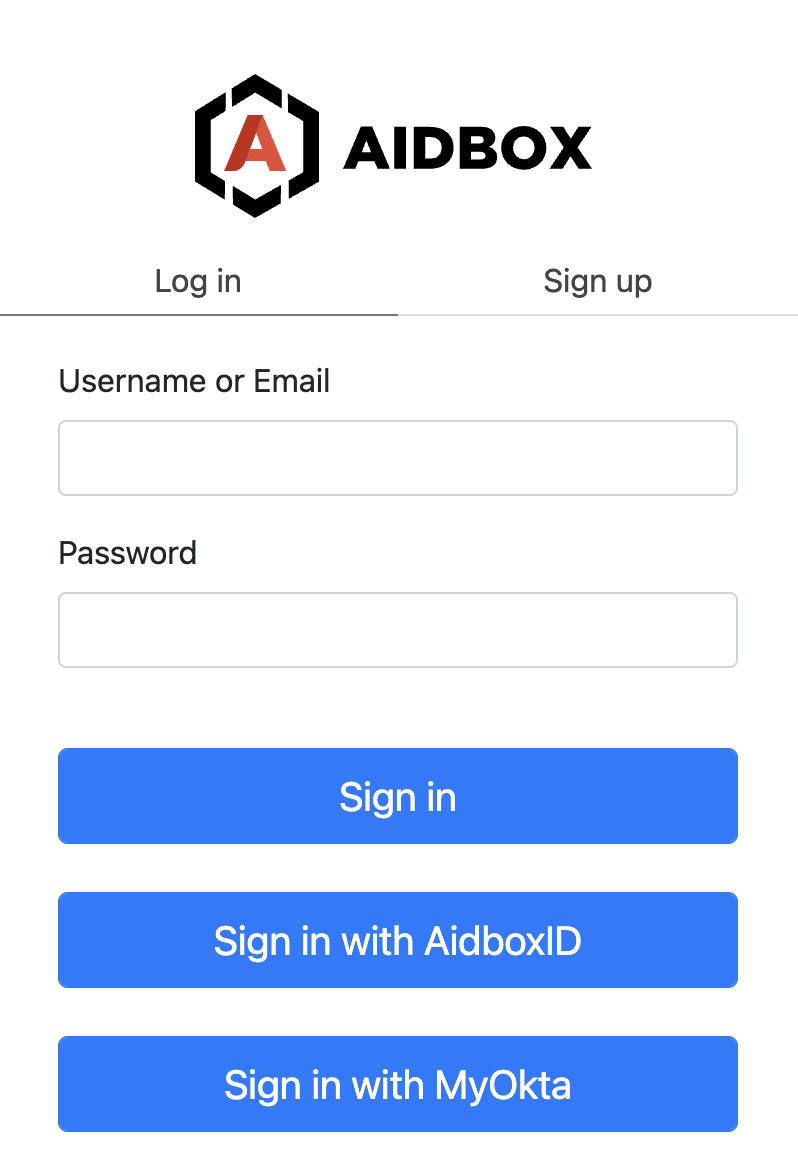
Go to the Aidbox login page. You should see **Sign in with MyOkta** button.
Press this button and log in with Okta user into Aidbox.
You should not be able to see much in the Aidbox because there's no access policy for your user yet.
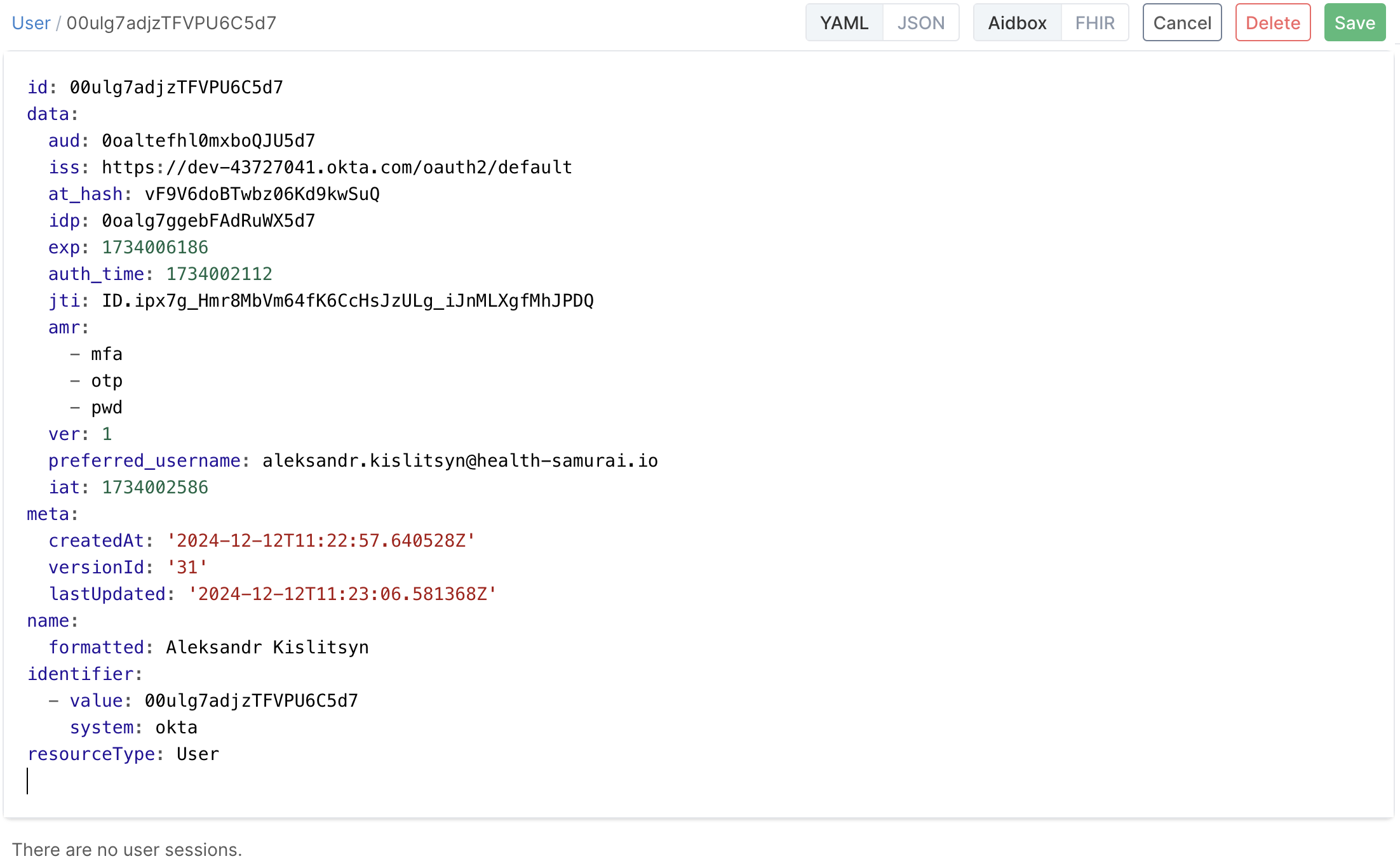
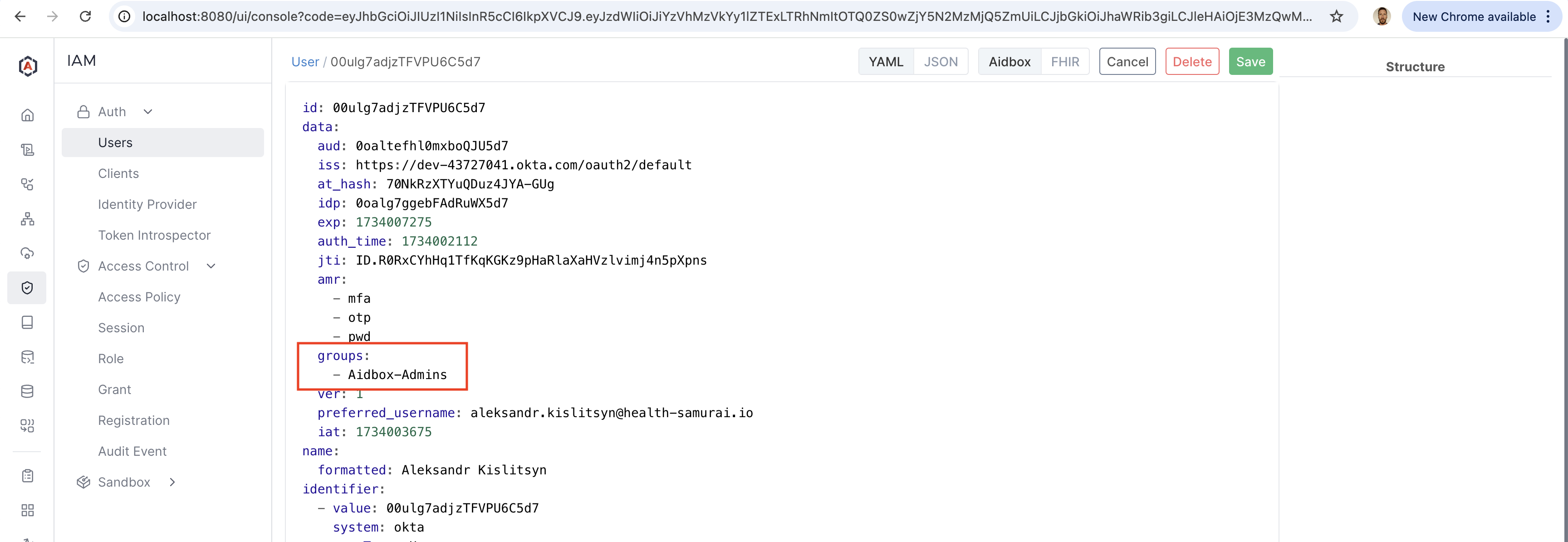
Relogin with admin and check the user created in Aidbox for your Okta user. Go to **IAM -> User** and click on the user ID.
User Resource is Aidbox is updated every time the user logs in using external Identity Provider. Source of the user information is configured using `userinfo-source` element in IdentityProvider configuration resource.
### Create the Aidbox-Admins group in Okta
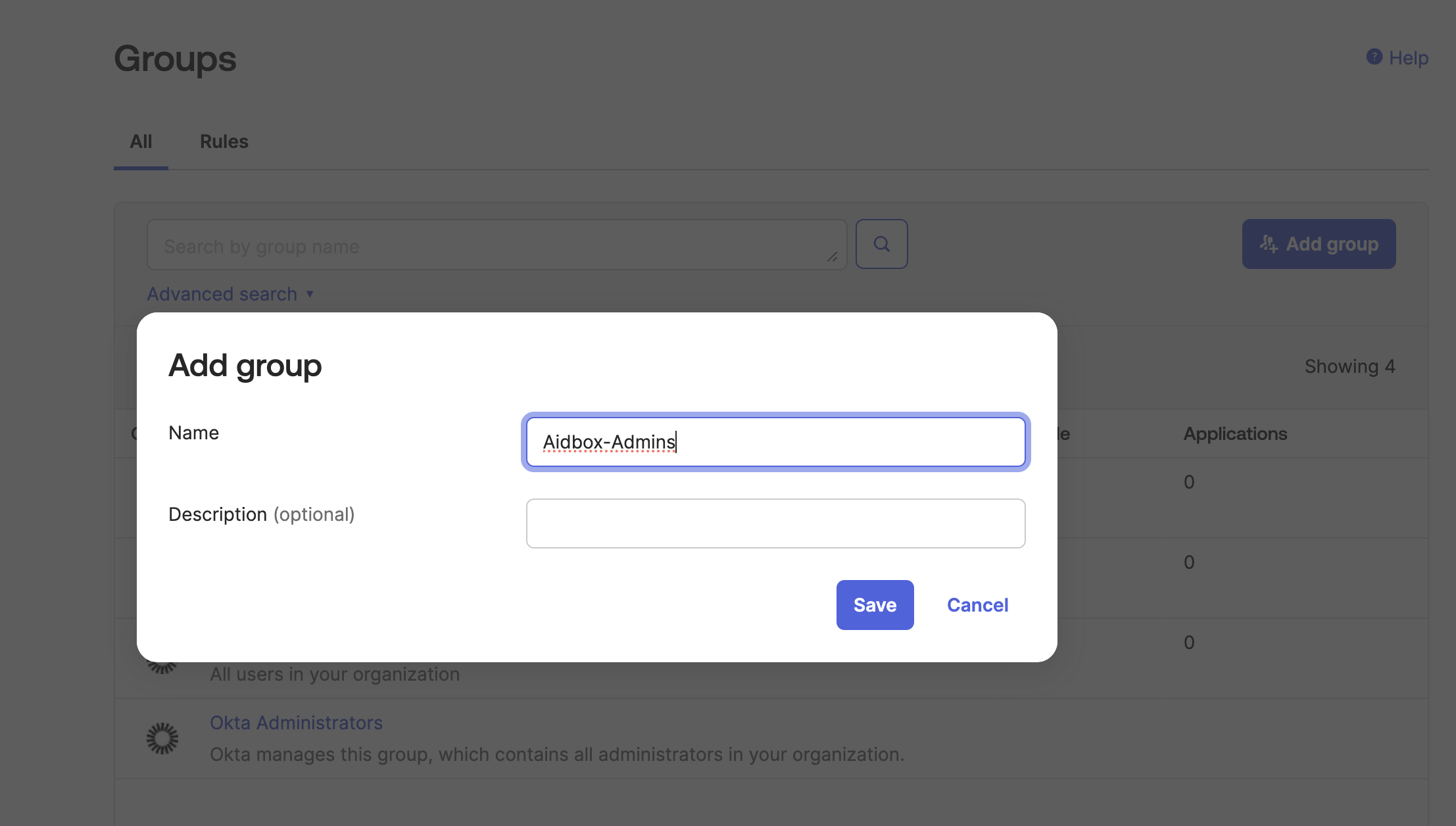
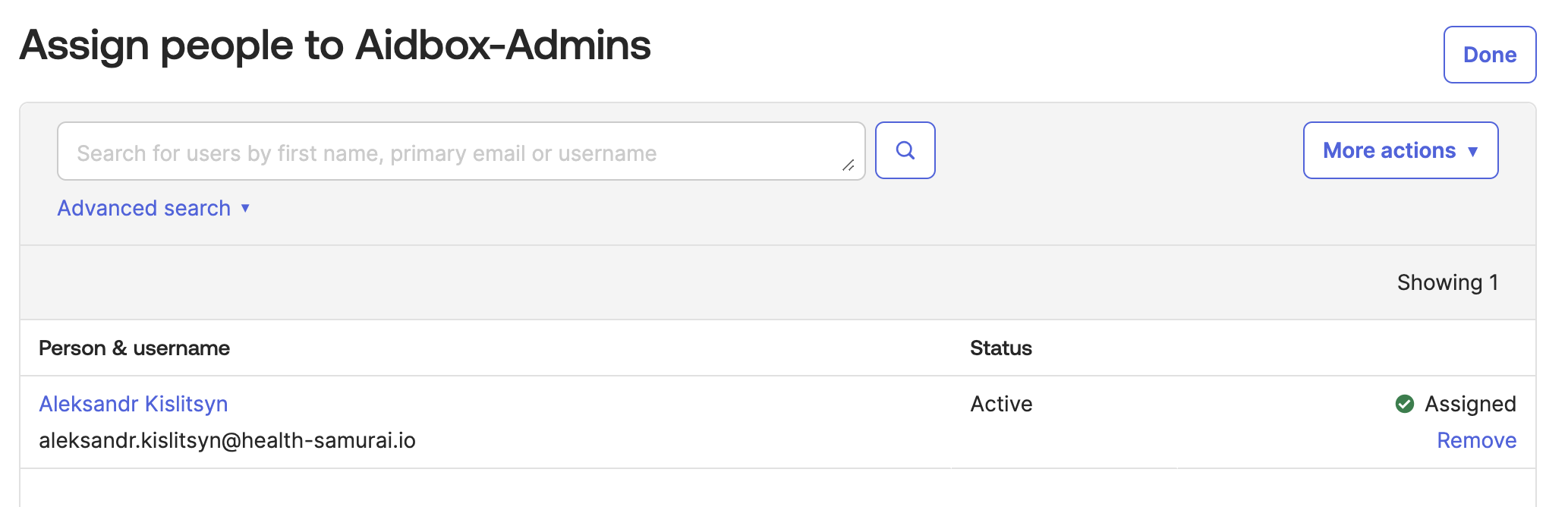
In Okta go to **Directory -> Groups** and create group `Aidbox-Admins`
Add your user to the group
### Customize ID token in Okta to include groups
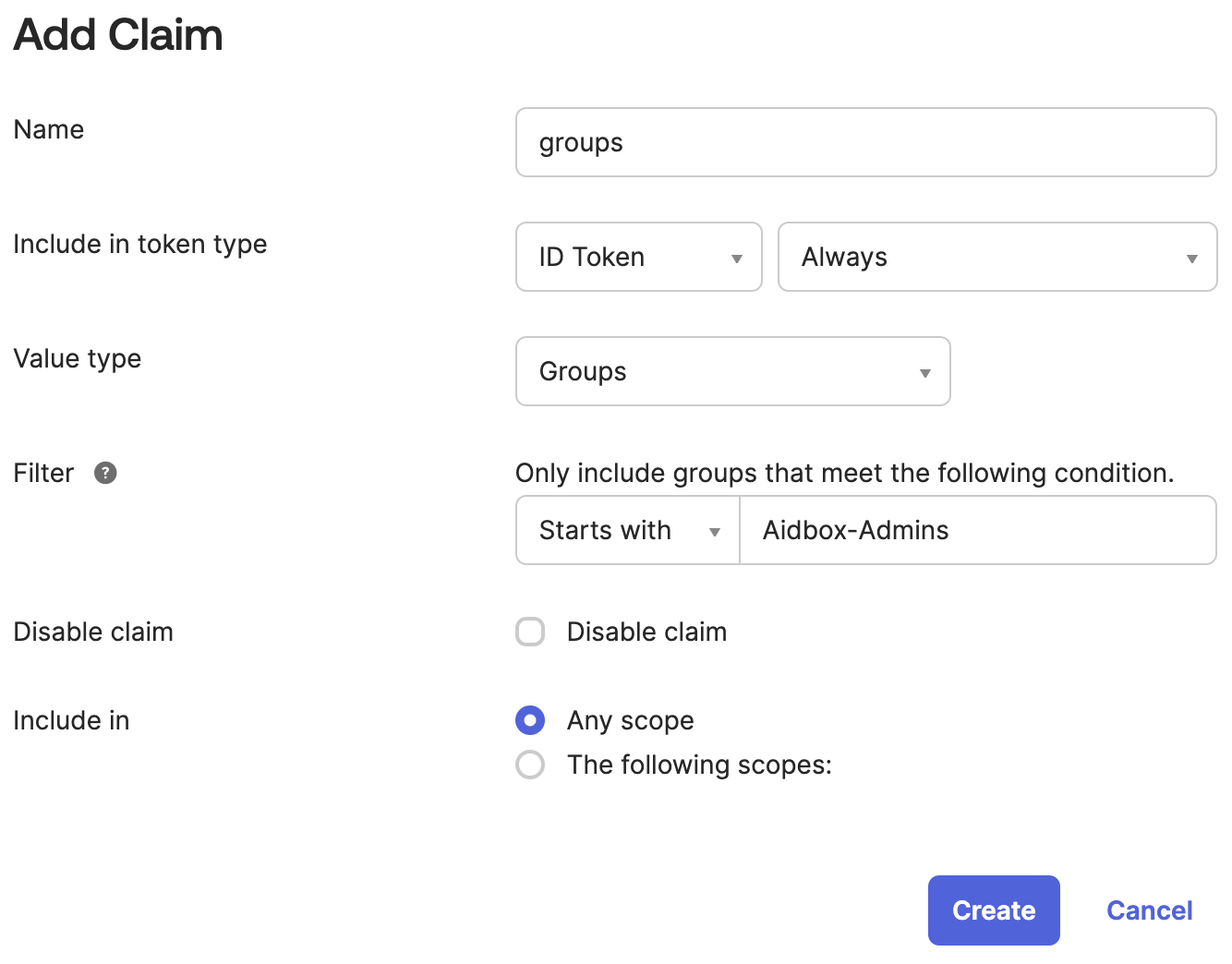
In Okta go to **Security -> API** drill down to the `default` authorization server go to **Claims** tab. Click **Add Claim** button.
* name: groups
* Include in token type: ID Token
* Value type: Groups
* Filter: Starts with: Aidbox-Admins
* Include in: any scope
### Make sure the group info from Okta is making into Aidbox
Relogin into Aidbox using **Sign in with MyOkta** button. The user is updated with Okta groups data. Relogin with admin and check.
### Create the AccessPolicy
Use REST Console to execute the request
```json
PUT /fhir/AccessPolicy/okta-admins-policy
content-type: application/json
accept: application/json
{
"engine": "matcho",
"matcho": {
"user": {
"data": {
"groups": {
"$contains": "Aidbox-Admins"
}
}
},
"request-method": {
"$enum": [
"get",
"post",
"put",
"delete"
]
}
},
"resourceType": "AccessPolicy"
}
```
Now you can relogin with your Okta user and the user will be granted admin access.
## What's next
* See more about Aidbox Security [security-and-access-control](../../access-control/access-control.md)