---
description: This tutorial explains how to run Aidbox with FHIR 6.0.0-ballot3.
---
# Run Aidbox with FHIR R6
FHIR 6.0.0-ballot3 was published on **April 3, 2025**, introducing new resources, complex data types, and updated profiles.
## Run in Sandbox
1. Sign up or log in at [aidbox.app](https://aidbox.app)
2. Go to your project
3. Click "New Aidbox" to create a new instance
4. Enter a name in the "License name" field
5. Set hosting type to "Sandbox"
6. Choose "Edge" as the Aidbox version
7. Enter Instance URL.
8. Set FHIR Version to "6.0.0-ballot3"
## Run locally
{% hint style="warning" %}
Please **make sure** that both [Docker & Docker Compose](https://docs.docker.com/engine/install/) are installed.
{% endhint %}
1. Create a working directory:
```bash
mkdir aidbox && cd aidbox
```
2. Download the Aidbox setup script:
```bash
curl -JO https://aidbox.app/runme/r6
```
3. Start Aidbox:
```bash
docker compose up
```
## Explore canonicals
All imported canonical resources are available in the FHIR Packages tab
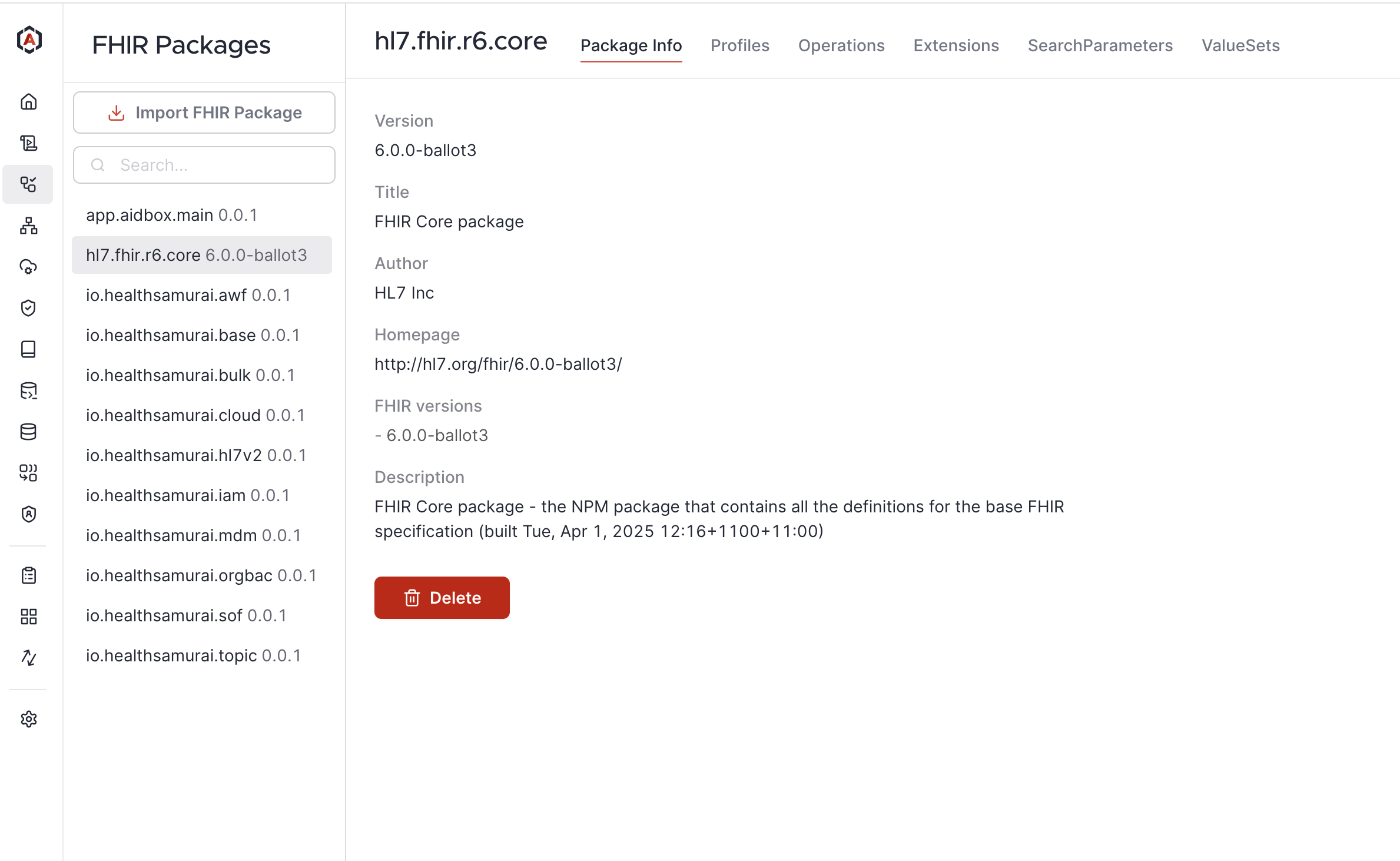
.png) Please **make sure** that both [Docker & Docker Compose](https://docs.docker.com/engine/install/) are installed.
{% endhint %}
1. Create a working directory:
```bash
mkdir aidbox && cd aidbox
```
2. Download the Aidbox setup script:
```bash
curl -JO https://aidbox.app/runme/r6
```
3. Start Aidbox:
```bash
docker compose up
```
## Explore canonicals
All imported canonical resources are available in the FHIR Packages tab
Please **make sure** that both [Docker & Docker Compose](https://docs.docker.com/engine/install/) are installed.
{% endhint %}
1. Create a working directory:
```bash
mkdir aidbox && cd aidbox
```
2. Download the Aidbox setup script:
```bash
curl -JO https://aidbox.app/runme/r6
```
3. Start Aidbox:
```bash
docker compose up
```
## Explore canonicals
All imported canonical resources are available in the FHIR Packages tab