# Custom SearchParameter tutorial
{% hint style="info" %}
To create a SearchParameter, [FHIRSchema](../../../modules/profiling-and-validation/fhir-schema-validator/) must be enabled (enabled by default)
{% endhint %}
### Objectives
* Understand what SearchParameter is
* Learn how to create a custom SearchParameter in Aidbox
## Before you begin
* See what FHIR Search is [here](../../../api/rest-api/fhir-search/), what [SearchParameter is here](../../../api/rest-api/fhir-search/searchparameter.md)
* Set up the local Aidbox instance using the getting started [guide](../../../getting-started/run-aidbox-locally.md)
## Get any SearchParameter definition
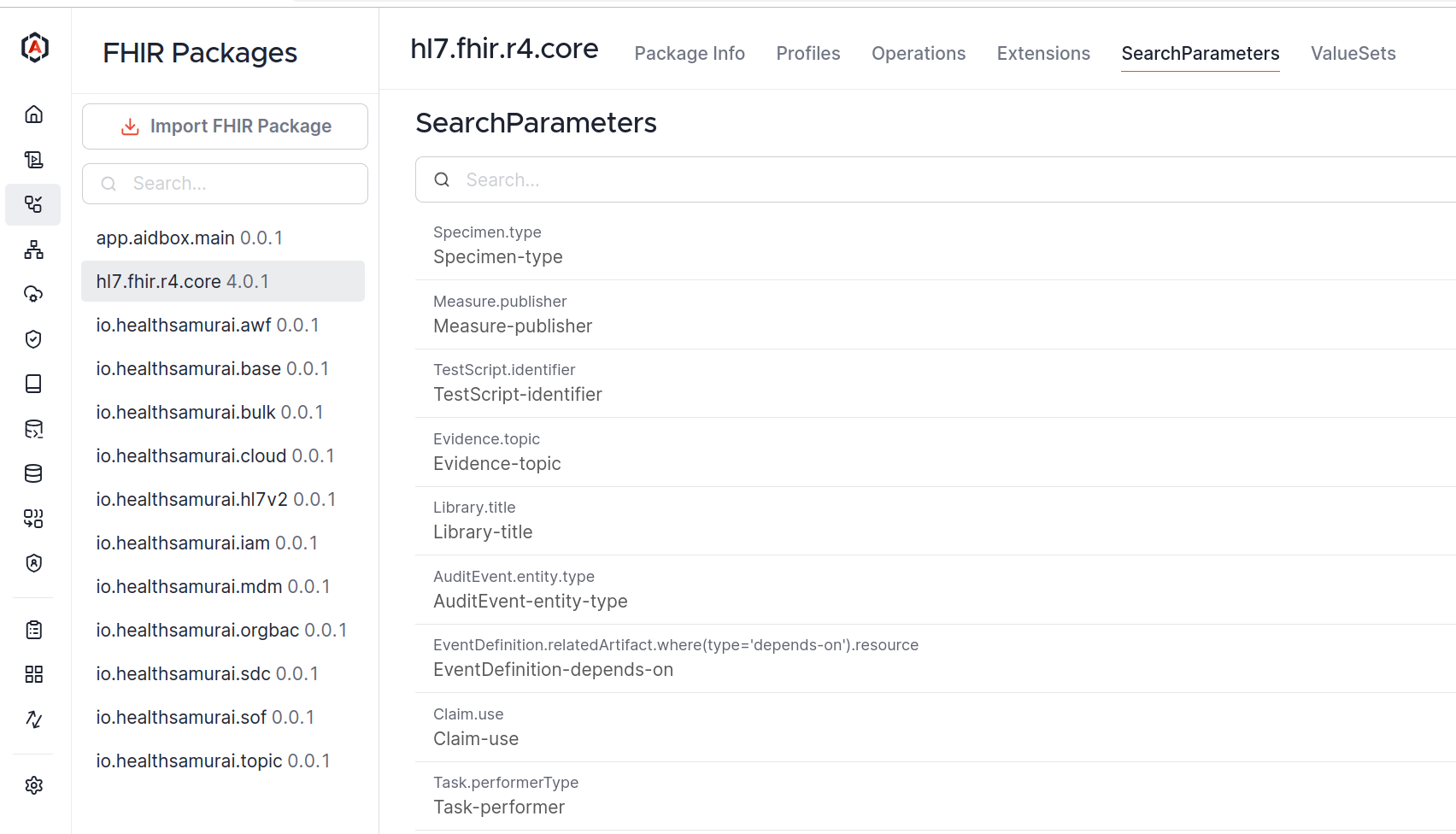
In AidboxUI, go to **FHIR Packages -> hl7.fhir.r4.core** and click on "SearchParameters" tab:
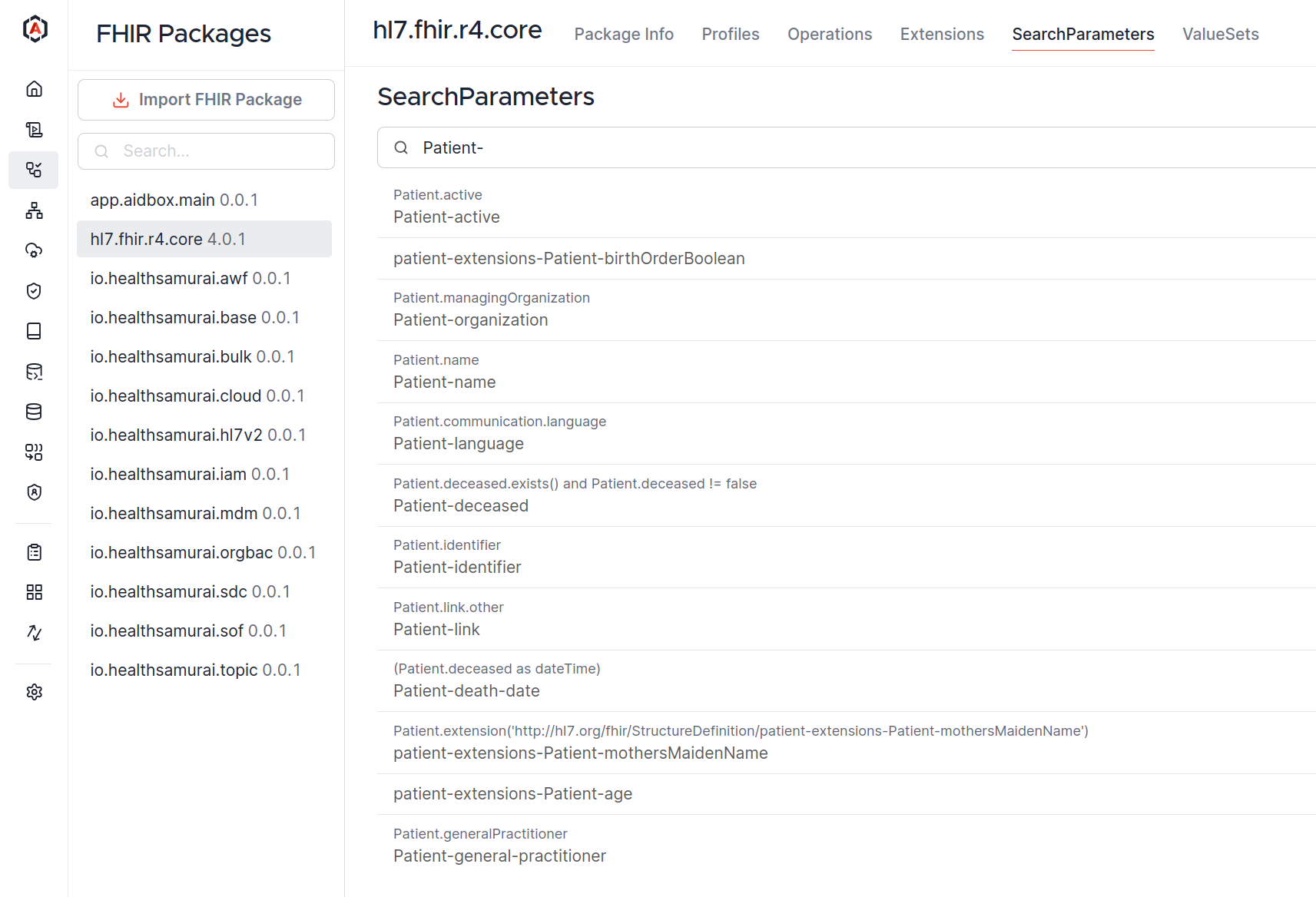
Getting all Patient SearchParameters from r4:
Clicking on `Patient-active` SearchParameter gives us an actual definition of it:
```json
{
"url": "http://hl7.org/fhir/SearchParameter/Patient-active",
"id": "Patient-active",
"base": [
"Patient"
],
"expression": "Patient.active",
"name": "active",
"status": "draft",
"type": "token",
"version": "4.0.1",
"resourceType": "SearchParameter",
"code": "active",
"description": "Whether the patient record is active"
}
```
The main things:
* change **url** and **id** to identify your search parameter
* the **code** is actual name that is used in the search query
* make sure **base** is correct
* to define how to search and what to search, **type** and **expression** fields are used
* **xpathUsage** and **xpath** are ignored
You can read more about these fields [here](../../../api/rest-api/fhir-search/searchparameter.md#searchparameter-fields).
## Define a custom SearchParameter
Let's define a custom search parameter that allows searching Patient resources by a specific extension with "http://example.org/fhir/StructureDefinition/occupation" URL:
```
POST /fhir/SearchParameter
Content-Type: application/json
Accept: application/json
{
"resourceType": "SearchParameter",
"id": "patient-occupation",
"url": "http://example.org/fhir/SearchParameter/patient-occupation",
"version": "1.0.0",
"name": "occupation",
"status": "active",
"description": "Search patients by occupation",
"code": "occupation",
"base": [
"Patient"
],
"type": "string",
"expression": "Patient.extension.where(url='http://example.org/fhir/StructureDefinition/occupation').value.as(string)"
}
```
Here, the main fields are `type` and `expression`. String type means that we search for strings in a case-insensitive, accent-insensitive way. See also [SearchParameter types](../../../api/rest-api/fhir-search/searchparameter.md#search-parameter-types).
The expression field uses [FHIRPath](https://hl7.org/fhir/fhirpath.html) and defines that we search in "extension" field, filter all the extensions by the URL, and get their value. Note that we use `.as(string)` to match [the string extension choice type](https://www.hl7.org/fhir/extensibility.html).
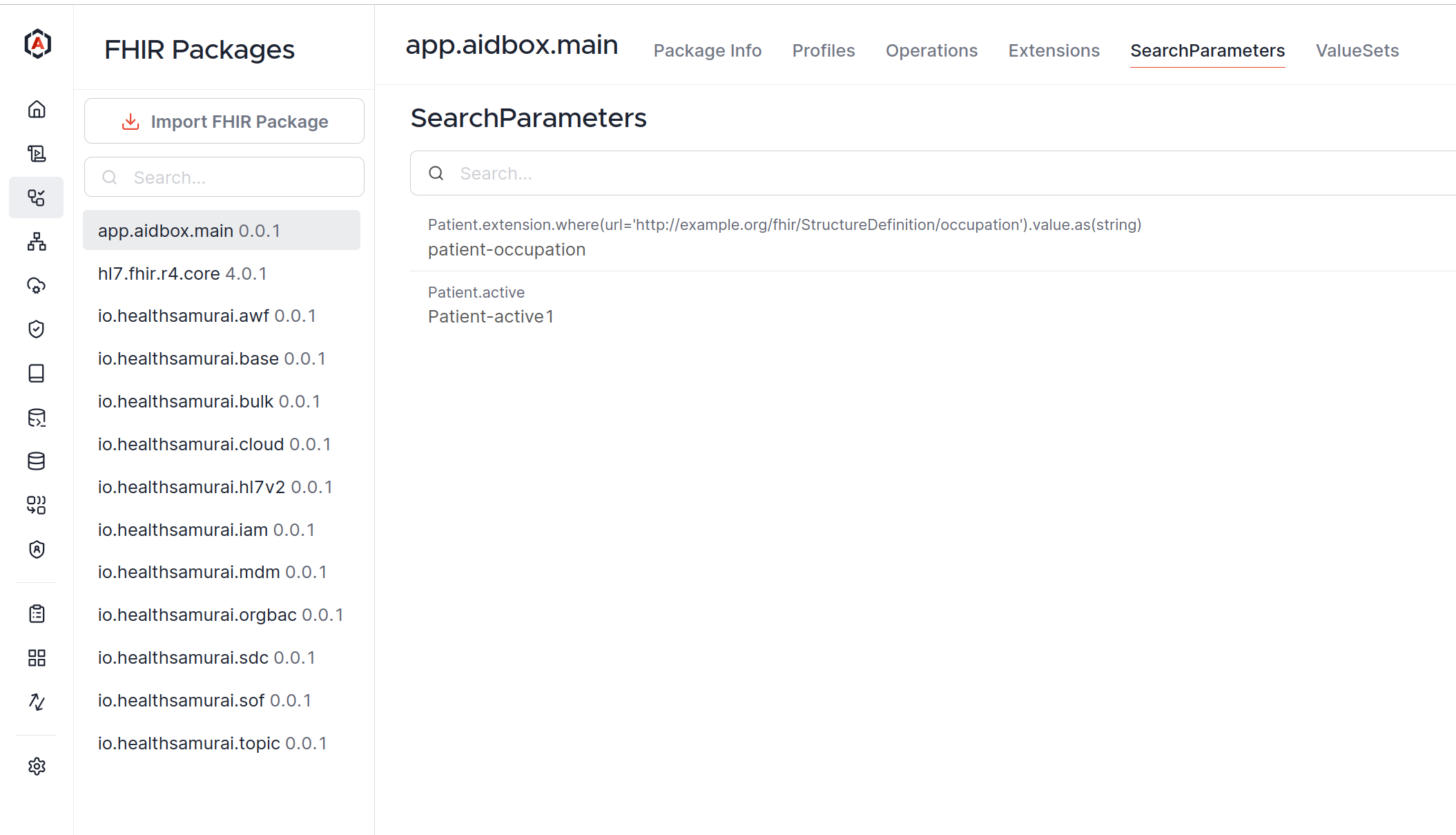
You can find all SearchParameters created by you in **app.aidbox.main** package:
## Test Search Parameter
Create a Patient resource with the required extension:
```
POST /fhir/Patient
content-type: application/json
accept: application/json
{
"resourceType": "Patient",
"id": "example-patient",
"extension": [
{
"url": "http://example.org/fhir/StructureDefinition/occupation",
"valueString": "Engineer"
}
],
"name": [
{
"family": "Doe",
"given": [
"John"
]
}
],
"gender": "male",
"birthDate": "1980-01-01"
}
```
Search for Patient by occupation:
```
GET /fhir/Patient?occupation=Engin
```
Response:
{% code title="Status: 200" lineNumbers="true" %}
```yaml
resourceType: Bundle
type: searchset
meta:
versionId: '0'
total: 1
link:
- relation: first
url: https://example.aidbox.app/fhir/Patient?occupation=Engin&page=1
- relation: self
url: https://example.aidbox.app/fhir/Patient?occupation=Engin&page=1
entry:
- resource:
name:
- given:
- John
family: Doe
gender: male
birthDate: '1980-01-01'
extension:
- url: http://example.org/fhir/StructureDefinition/occupation
valueString: Engineer
id: >-
example-patient
resourceType: Patient
meta:
lastUpdated: '2024-06-07T10:21:29.110510Z'
versionId: '6'
extension:
- url: https://fhir.aidbox.app/fhir/StructureDefinition/created-at
valueInstant: '2024-06-07T10:21:29.110510Z'
search:
mode: match
fullUrl: https://example.aidbox.app/Patient/example-patient
link:
- relation: self
url: https://example.aidbox.app/Patient/example-patient
```
{% endcode %}
## More examples
### Composite SearchParameter
```
POST /fhir/SearchParameter
content-type: application/json
accept: application/json
{
"url": "http://mycompany.com/Questionnaire-context-type-value-ref",
"component": [
{
"definition": "http://hl7.org/fhir/SearchParameter/Questionnaire-context-type",
"expression": "code"
},
{
"definition": "http://mycompany.com/Questionnaire-context-ref",
"expression": "value.as(Reference)"
}
],
"id": "Questionnaire-context-type-value",
"base": [
"Questionnaire"
],
"expression": "Questionnaire.useContext",
"name": "context-type-value",
"status": "draft",
"multipleOr": false,
"type": "composite",
"version": "4.0.1",
"xpathUsage": "normal",
"resourceType": "SearchParameter",
"code": "context-type-value-ref",
"description": "A use context type and reference value assigned to the questionnaire"
}
```